Your pictures. A finished bundle.
Add your covers, pages and screenshots. Choose from 248 ready-made templates, give each version its own words and style, and download finished images for your shop, sales page and social posts. Keep your pictures together in a bundle, with the whole design visible as you work. Runs offline on your computer, with no subscription.
Get Mockup Maker — $59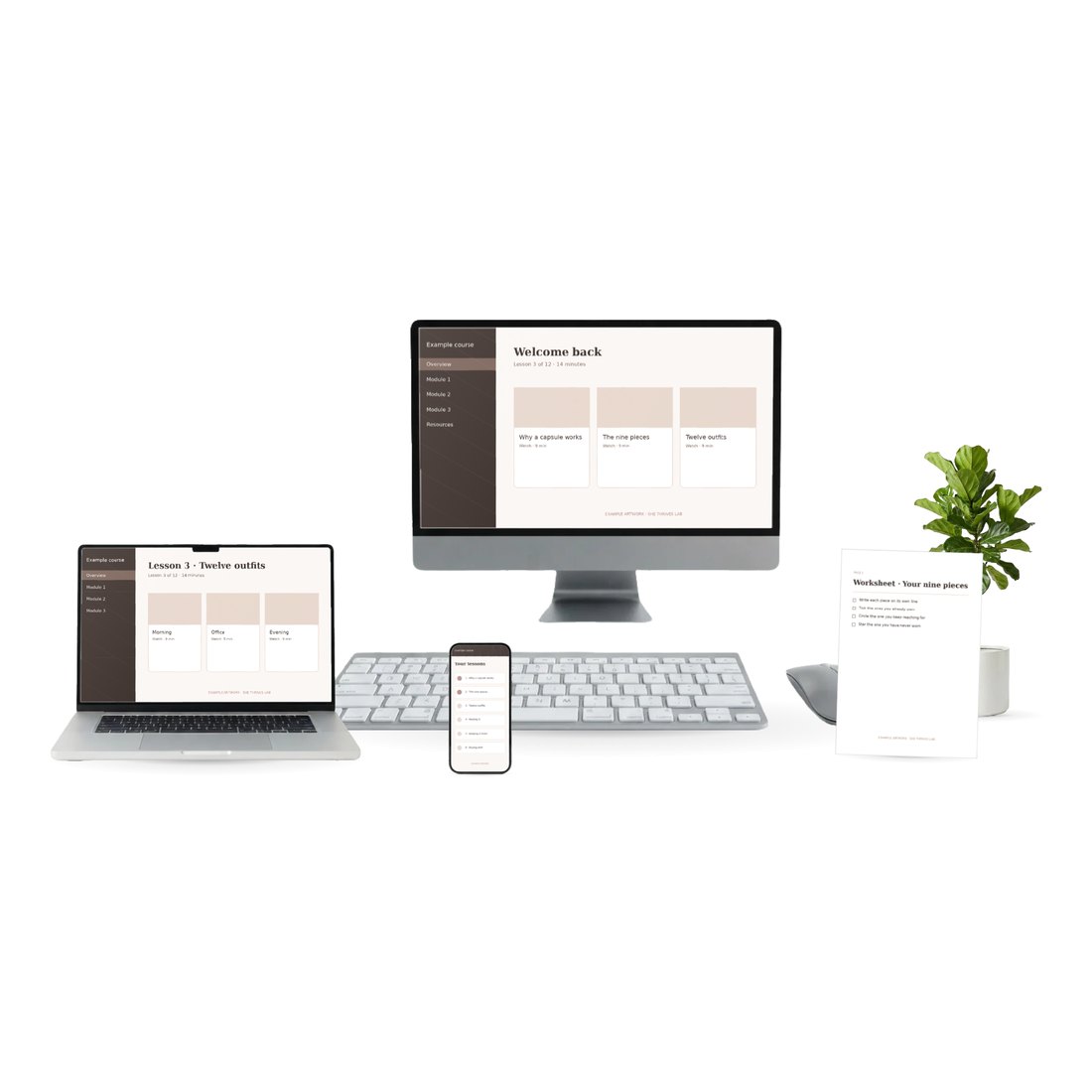
Choose a finished layout. Make it yours.
The gallery brings together 200 new original layouts and the 48 classic She Thrives designs: devices, page collections, listing covers, features and offers, and social promotions. Your pictures fill numbered slots. Choose several templates, then switch between their cards in Your mockups; each keeps its own wording, fonts, colours and picture assignments. Optional automatic arrangements are included too.
Six categories to start from
The 48 She Thrives designs cover these six categories. You also get 200 new original editorial, gathered-bundle and digital-collection layouts, plus optional automatic arrangements, so you can choose a composition that suits your product.
Screens and pages brought together for a product with several pieces.
Cover images, product tiles and page previews for your shop.
Desktop, tablet and phone arrangements on included surfaces.
Book covers, inside pages, worksheet collections and notebook spreads.
Space for a heading, benefits or offer words alongside your pictures.
Layouts for announcements and posts, with eight output shapes available.
Use your own pictures and replace neutral sample wording before publishing your finished images.
Four clear steps, with your preview beside you.
Add pictures
Upload the covers, pages and screenshots that belong to one product. No template is selected automatically. Start with your own pictures, or choose Try a sample bundle in an empty project.
Choose templates
Match my pictures shows designs with one slot per upload. Two pictures show two-slot designs. Choose a template to add it to Your mockups, then choose another for a second version.
Customize
Click a chosen card to edit that version. Change available words, fonts, colours and spacing, or assign a different picture to a numbered slot. Check your selected sizes in the preview. Done keeps detailed editor changes.
Download
Choose your output sizes and Generate. Save one PNG or the generated set in a ZIP. Generating again updates your chosen mockups. Use Save project to keep the work editable.
Give each mockup its own words and style
Select a card in Your mockups and customize that version. Change its available heading, supporting words, fonts, text colour, line spacing and letter spacing. Use brand kits for a consistent look, or give each version a different style. Some picture-only templates have no separate text fields.
Edit this layout gives you individual text and picture controls. All 248 ready-made designs use the native editor, with individual picture and text controls. Move objects or add text in the detailed editor, then check each selected output size. Change crops with Fit or Fill, choose Done, and save your project.
Keep each version editable
- Switch chosen cards without losing their individual words and styling.
- Choose Done after detailed picture or text changes.
- Check each selected output shape in its preview.
- Save project to return to your pictures, layouts and edits later.
One product per row
product,type,images,scenes
My workbook,printable,cover.png;page-1.png,original-editorial-011;original-editorial-012
Illustrative filenames. Use the names of your own picture files, and separate multiple pictures or templates with semicolons.
Make mockups for several products with a CSV
Use one row per product, with its name, image filenames, chosen templates or automatic scenes, styling and optional words. Add the CSV and the named images in the batch area under Add pictures. Review missing files and template choices before generating. Download the resulting PNGs together in a ZIP, named by product and size.
Blank and filled-in CSV examples, a whole-shop example and their sample artwork are included. CSV batches can repeat row pictures to fill extra slots; match the row’s picture count to the template’s slot count when you want each picture used once.
Four things I would rather you knew now
Ready-made layouts start with a set number of numbered picture slots. Choose a matching slot count to use each uploaded picture once. You can customize the native design in the editor; choose another template when you want a different starting arrangement.
This is a tool for digital-product covers, pages and screenshots. It uses supplied device and page artwork, props and photographic surfaces. It does not generate lifestyle photographs, new objects or people on demand.
Fit keeps the whole picture inside its frame; Fill covers the frame and can crop its edges. Overlapping pages and native page-edge crops are part of some designs. Choose a matching slot count and inspect the whole preview before downloading.
A larger export cannot create detail missing from a small image. Imported pictures are reduced to a longest side of 2,200 pixels to manage memory. The app is designed for desktop use; save a portable project file to keep your pictures and editable work.
Buy it once. Every listing after that is free.
- 248 ready-made templates — 200 new original layouts and 48 classic She Thrives designs
- Eight output sizes, with a preview for each selected shape
- Editable text, fonts, colours, picture slots and native layout controls
- Save and reopen editable projects, plus reusable layouts and brand kits
- CSV batches, blank and example CSVs, sample artwork, guides and optional AI prompts
- Single-user app licence; permitted use is explained in LICENCE.txt
- Works offline in desktop Chrome or Edge, with no account or subscription
Mockup Maker makes the listing images. Storefront makes the shop page they sit on, and Pin Autopilot gets the pins out every day. Each stands on its own; together they are a shop launch.
The ones worth answering
Do I need Photoshop or Canva?
No. First extract the complete download: on Windows, right-click the ZIP, choose Extract All, then Extract; on a Mac, double-click the ZIP. Open the extracted She Thrives Mockup Maker folder, then she-thrives-mockup-maker.html in desktop Chrome or Edge. Keep every supplied file and folder together. No account, installation or internet connection is needed to use the app. Upload PNG, JPG or WebP pictures; finished images download as PNGs or a ZIP.
What shape should my pictures be?
Use clear covers, pages or screenshots. Fit keeps a whole picture inside its own frame and may add a band when proportions differ. Fill covers the frame and can crop the picture; adjust zoom and position to choose the crop. A page behind a device may be partly hidden by the layout’s intentional layering. The preview shows the complete design.
Can I use the mockups on Etsy, my own shop, ads, print?
The single-user licence covers your own business and client work. Read LICENCE.txt in the download for the permitted use and restrictions. The app and its raw library assets are not supplied for redistribution or resale. Use artwork you have the rights to upload.
Can I keep several versions and return to them later?
Yes. Each chosen template has its own card, picture assignments and editable draft. Save project downloads a portable .mockup.json file containing your pictures and settings. Open project restores it later. PNG and ZIP exports are finished images, not editable Canva or Photoshop files.
Does a template rearrange itself to fit more pictures?
Ready-made templates have fixed numbered slots. Match my pictures filters to one slot per upload. All slot counts lets you browse other designs. Extra slots keep examples until you assign pictures; they do not repeat your uploads automatically in the single-product workflow.
Does it work with photographs of physical products?
It is built for digital products: things that live on a screen or a page. A photograph of a candle will be placed on a sheet or a screen like any other picture, which is rarely what you want.
Does it upload my artwork anywhere?
No. It does not phone home, log, or need an account. Turn the wifi off and it works exactly the same. That is also why it cannot read a product page from a link — a file running on your computer has no server behind it — so you save the image and drop it in.
Can I add my own mockup items to the library?
Not in this version. The library is a prepared file with each item’s printable area measured and masked, which is what makes the arranging work without you lining anything up. New items are added by updates, which buyers receive free.
Refunds?
None — it is an instant download of the actual tool, so the moment you pay it is in your hands. That is why this page shows real output and lists what it will not do, so you know exactly what you are buying. Duplicate charges are refunded immediately, and a fault that cannot be fixed is too.