
Everything you sell, on one page you own.
One product list, ten shop layouts. A template vault, a 3D bookshelf, a course catalogue, a service menu, a client portal. Search and category tabs built in. Every button goes to the checkout you already use. No monthly fee for the front door.
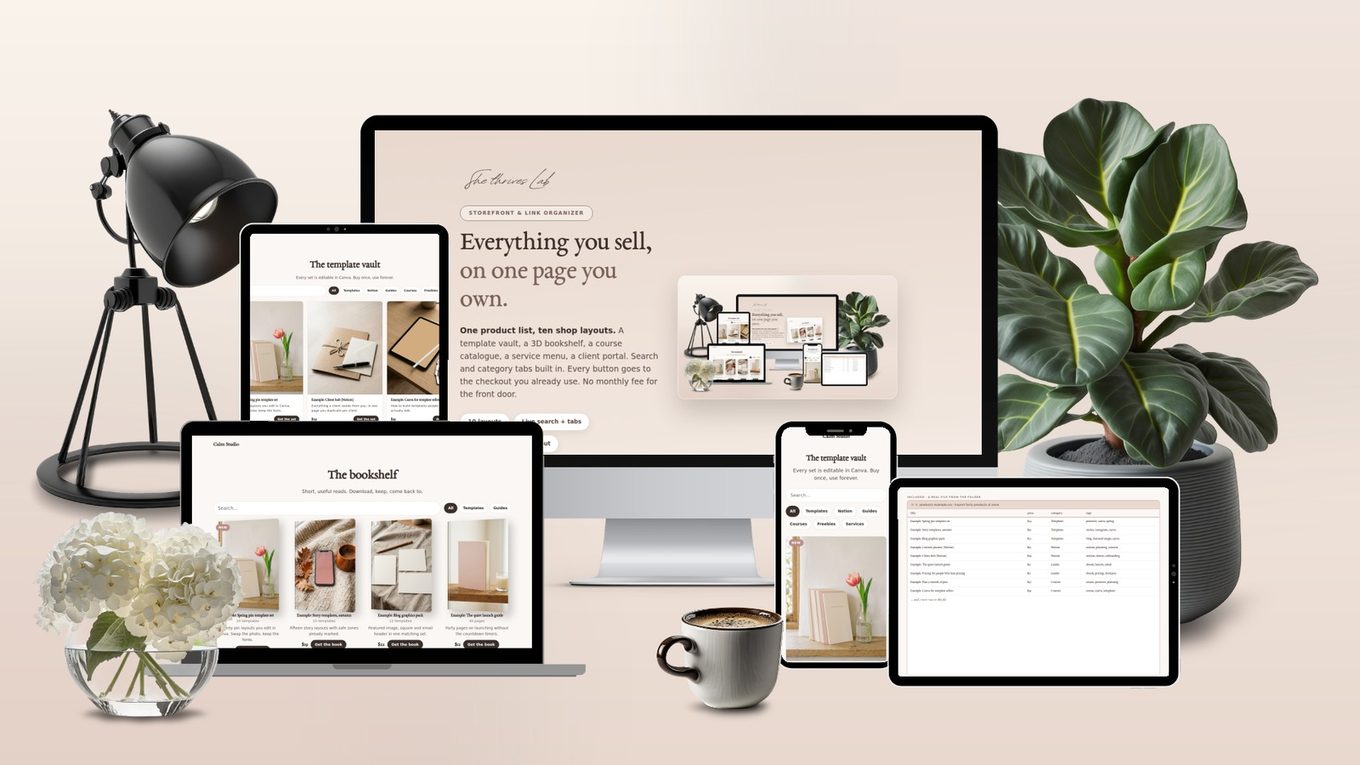
Your products live in five places. Your buyers can find none of them.
Templates on Etsy, a course on one platform, a guide on Gumroad, freebies in an email somewhere. The link-in-bio apps that tidy this up charge every month for a page that is mostly your own links.
The Storefront is a shelf you own: type your products in once or import a spreadsheet, choose how the shelf looks, export one file. Visitors search, click a tab, and land on your real checkout.
Under a minute in the tool, no cuts
A real screen recording: switch layouts, edit a product, change the heading, check the phone view, export. Silent on purpose — the shop on the right is the real export.
Recorded in the tool at normal speed. Nothing sped up, nothing edited out. It plays on its own while it is on screen; press pause any time.
Ten layouts, one product list, shown as real exports
Every page below is the same twelve example products, exported from the tool in a different layout. Switch layouts and the list comes with you.

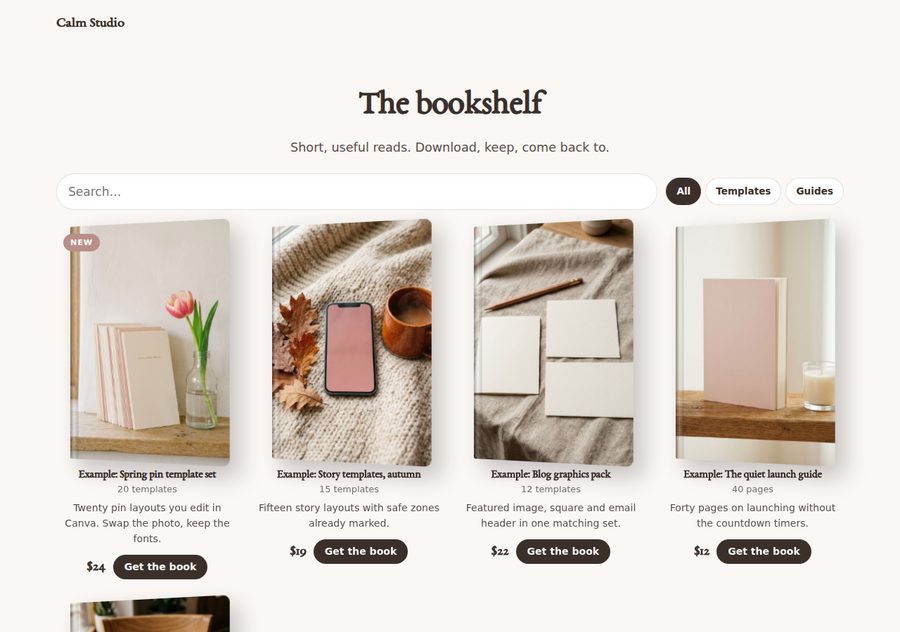
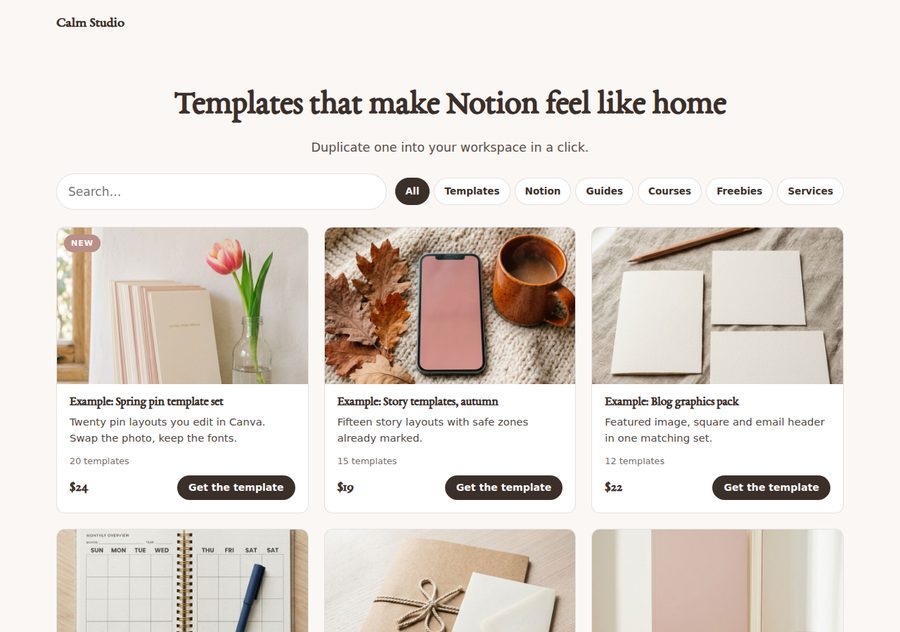
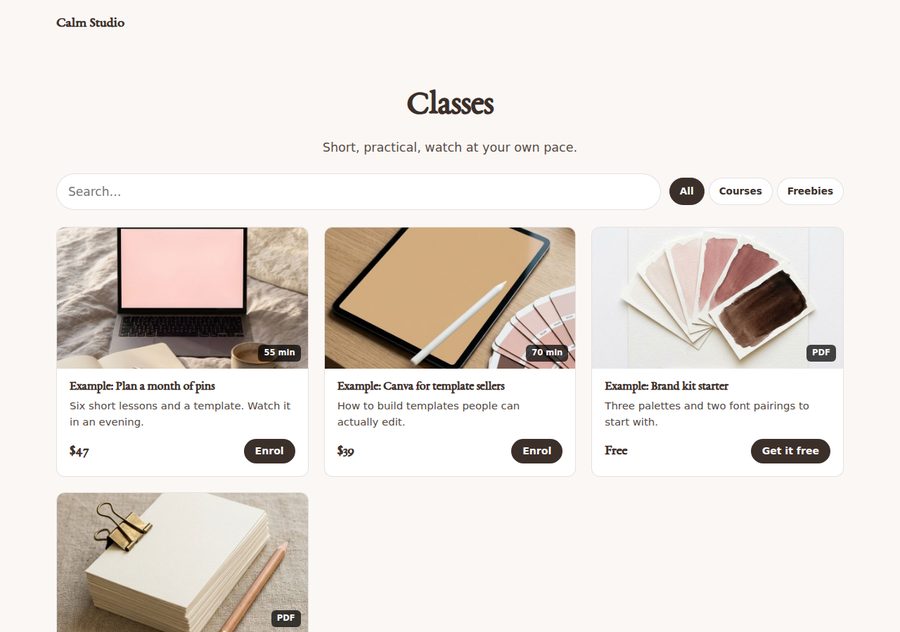


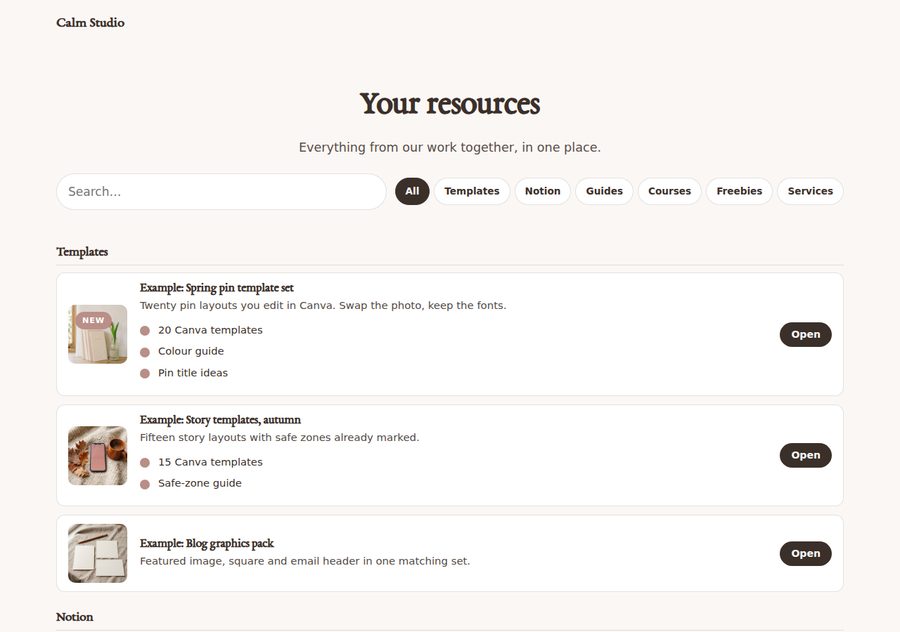
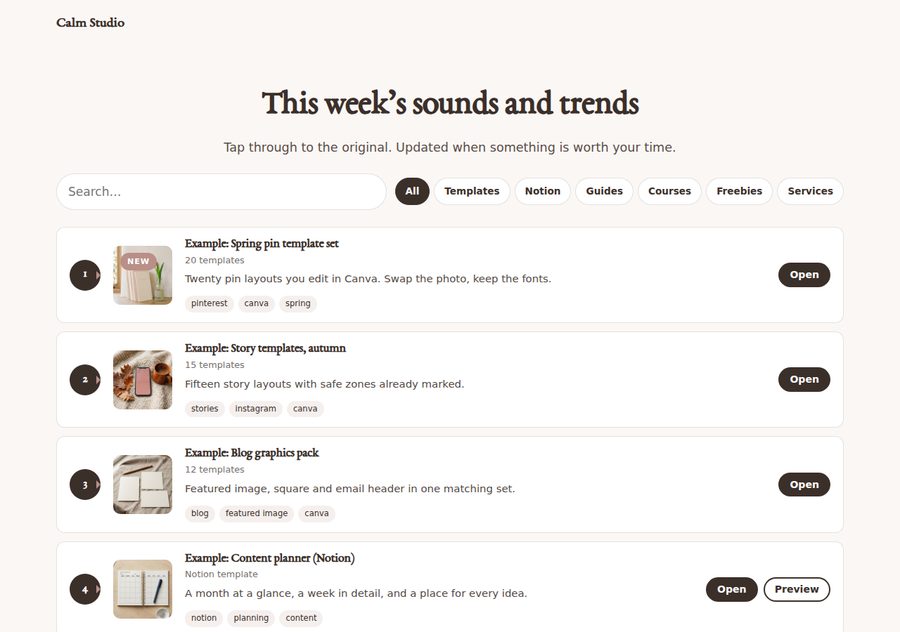
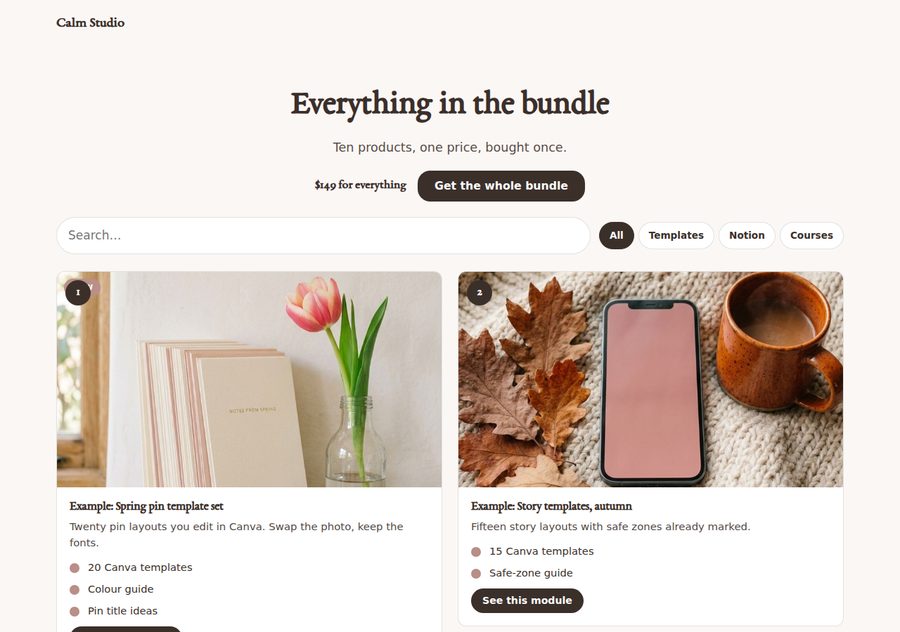
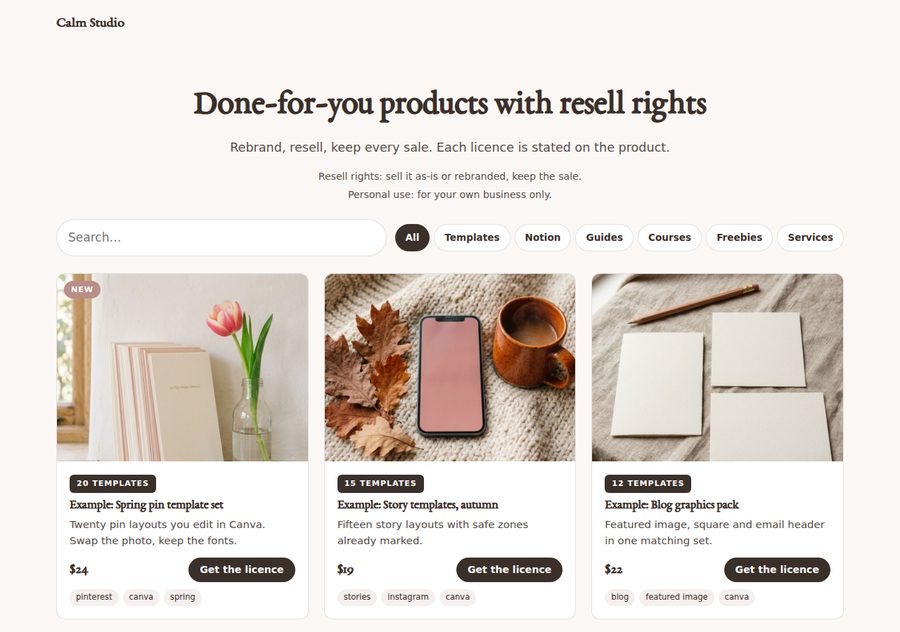
Import a spreadsheet. Export it back. Export pins.
Type products in by hand, or save a sheet as CSV and import forty at once. Export the list to edit in a spreadsheet. And export a Pinterest bulk-upload CSV, so a shelf of products becomes a set of product pins in one click.
Column names are forgiving: name, description, image, link, duration and licence are understood too.
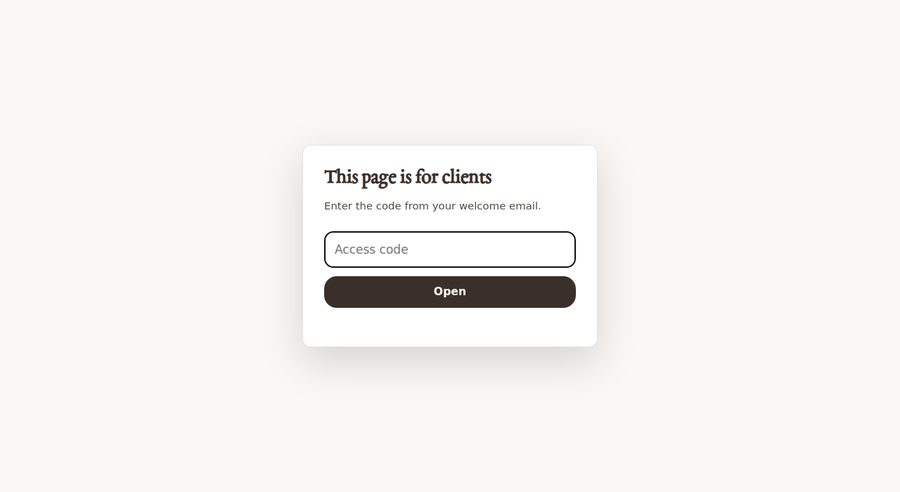
An unlisted shelf behind an access code
Any layout can ask for a code before it shows anything. The visitor types it once; the page remembers them for the session; search engines are asked not to index it. Right for a client library or a buyers-only bonus shelf.
It is a curtain, not a lock. A plain page cannot keep a secret from someone who reads its source. The tool says so, the guide says so, and so does this page.
Built for thumbs



Each phone scrolls through the whole page by itself — three real exports, top to bottom.
From list to live shelf without a manual
Layout
Pick one of ten. All ten show the same list.
Brand
Name, logo, colours, typeface, links. Set once.
Products
Type them in or import a CSV. Export CSV, or a Pinterest CSV.
Words
Heading, search and tabs, which categories, the access code, text under the grid.
Finish
Title and description, export one file.
Search and tabs that work on a plain file
Visitors type a word and the shelf filters as they type: title, blurb, tags, category. Tabs appear when there is more than one category. Both switch off per layout if you want a quiet page.
Featured first, or A to Z, or exactly as listed
Mark products as featured and a layout can put them first. Show only some categories so one list feeds a template vault, a course catalogue and a freebie shelf, each with its own file.

This is the actual interface
Photographs of the real thing. Five steps on the left, the shop on the right, and you can search in it.
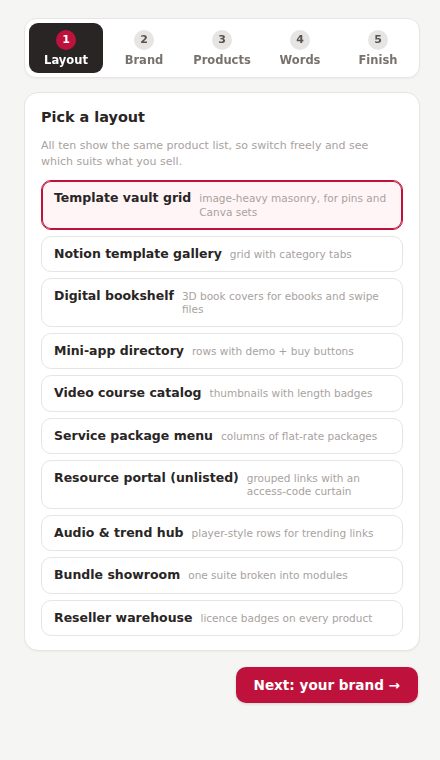
Step 1. Ten layouts in a list.
Step 3. Products, with the CSV buttons at the top.
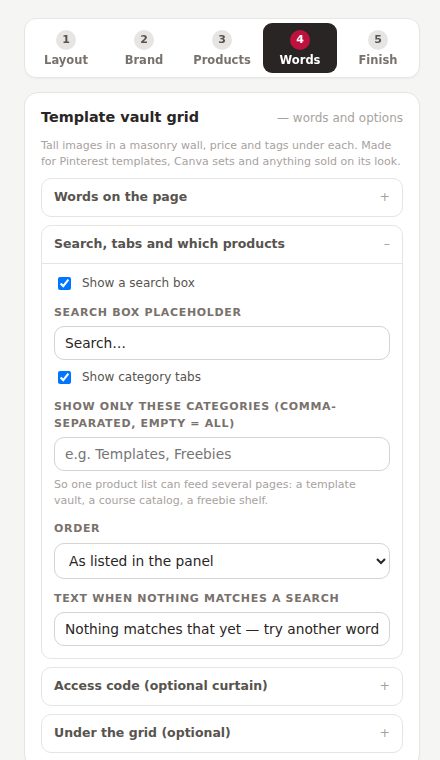
Step 4. Search, tabs, which categories, the access code.
Four things I would rather you knew now
Every button is a link to the checkout you already use: Stripe Payment Link, Lemon Squeezy, Gumroad, Payhip, Etsy, your own cart. Payment, delivery and receipts happen there, which is where they should.
It hides a shelf from casual visitors and remembers them for the session. Anyone who reads the page source can get past it. Keep real files behind a proper login and let this be the tidy front door.
That is what makes the export self-contained. Twenty products at 300 KB each is fine; twenty at 2 MB is not. For big catalogues, use image web addresses, which the Pinterest export needs anyway.
“New”, “Bestseller”, “Resell rights included” are typed by you and shown as typed. The tool never adds one for you.
The tool, and everything around it
CSV templates, a filled example, prompts, shop-launch pins
A blank products CSV, a twelve-product example, the columns explained, a Pinterest bulk sample. Six prompts that write blurbs and tags back as an importable CSV, tidy your categories, and word an honest licence legend. Ten pin titles for announcing the shop. The sample brand kit shared with the Page Engine and Calculator Suite. The Pin Schedule Planner, free.
Who this is for
- You sell templates, guides, courses or services in more than one place and want one home for them
- You pay monthly for a link-in-bio or storefront app that is mostly your own links
- You have a catalogue in a spreadsheet already
- You want a client or student library that looks like you
- You need a cart, checkout and delivery in one place; this is the shelf, not the till
- You need stock levels, variants or customer accounts
- You expect the access code to protect confidential files; it will not
- You want a full website with a blog; this makes shop pages
This is where buyer comments will go once there are real ones. Nothing invented sits here in the meantime. If you are reading this, you are early.
Buy it once. It is yours.
About one month of a storefront app, for a front door you keep.
- Ten layouts: template vault, gallery with tabs, 3D bookshelf, mini-app directory, course catalogue, service menu, resource portal, audio & trend hub, bundle showroom, reseller warehouse
- Live search and category tabs on a plain file
- CSV import and export; Pinterest bulk-pin CSV export
- Featured products, sort order, show only some categories
- Optional access-code curtain with noindex
- CSV templates, a filled example, six prompts, ten shop-launch pin titles, the sample brand kit
- Pin Schedule Planner included free
- Free updates and fixes, forever
The Storefront, the Funnel & Page Engine ($79) and the Calculator Suite ($49) read the same kit file, so the catalogue you build here can appear as a featured-products block on your sales pages. All three together: $129 instead of $167. See the three together → · Page Engine · Calculator Suite
Three promises, in plain words
A file on your computer. No login, no licence server, no monthly fee. The shop pages you export are plain HTML and keep working on any host.
Your product list and images never upload. The page is built inside your own browser.
Email support@shethriveslab.com, or reply to your purchase email. If it is a bug I fix it and send you the new file, free, however long after you bought it.
The ones worth answering
What exactly do I receive?
A single HTML file you double-click, the tool, plus a plain-English guide, CSV templates with a filled example, six AI prompts, ten shop-launch pin titles, a sample brand kit and the Pin Schedule Planner. Opens in any modern browser; nothing to install.
Where does the shop page go?
Anywhere that serves plain files: your web host, Netlify Drop, Cloudflare Pages, GitHub Pages. Name it index.html in a /shop/ folder and it becomes yoursite.com/shop/. On WordPress, upload it or paste the body into a Custom HTML block.
How do people pay?
On your checkout. Each product’s button links to a Stripe Payment Link, Lemon Squeezy, Gumroad, Payhip, an Etsy listing or your own cart. The Storefront is the shelf; those are the till.
How does the Pinterest export work?
Products with an image web address are written into a CSV in the shape Pinterest’s bulk pin upload expects: title, media URL, board, description, link, keywords. Fill each product’s board name, then use Create → Bulk create pins in Pinterest. The guide notes that Pinterest changes its template now and then, so check the columns against their sample first.
Can I have several shop pages from one list?
Yes. Each layout can show only some categories and has its own file name. One list becomes a template vault, a course catalogue and a freebie shelf.
Does it work with the other She Thrives tools?
Yes. The Storefront is where the product list lives. Export the kit and the Page Engine can show a featured-products block from it; the Calculator Suite picks up the brand.
Can I use it for client work?
Yes. Every shop page you export is yours to put on any site you or your clients own. What you may not do is pass on or resell the tool file itself. The full licence comes with it.
What if it is not what I expected?
Because it is an instant download, it is not returnable once you have it; that is stated at checkout, and it is why this page shows real exports and lists what the tool does not do. If something is broken, that is different: tell me and I will fix it.
One shelf, all your things, no rent
Type the list once. Pick the shelf. Own the page.
Get the Storefront — $39