
Ten calculators that find you clients, and show their working.
A calculator is the freebie people cannot resist playing with. Brand it, set the starting values, ask for an email before or after the result, and put it on your site as a page or a widget. Every formula is printed on the page, so nobody thinks it is cheating.

People will type their own numbers into a box long before they read your PDF.
A checklist is downloaded and forgotten. A calculator is played with, screenshotted and sent to a friend, because it says something about the person using it. That is why the tools that make them charge every month.
This one you buy once. Ten calculators, in your brand, with a sign-up form that can travel with the visitor’s results to a spreadsheet you own.
Under a minute in the tool, no cuts
A real screen recording: switch calculators, change a starting value and watch the result follow, check the phone view, set when the email is asked for, export. Silent on purpose.
Recorded in the tool at normal speed. Nothing sped up, nothing edited out. It plays on its own while it is on screen; press pause any time.
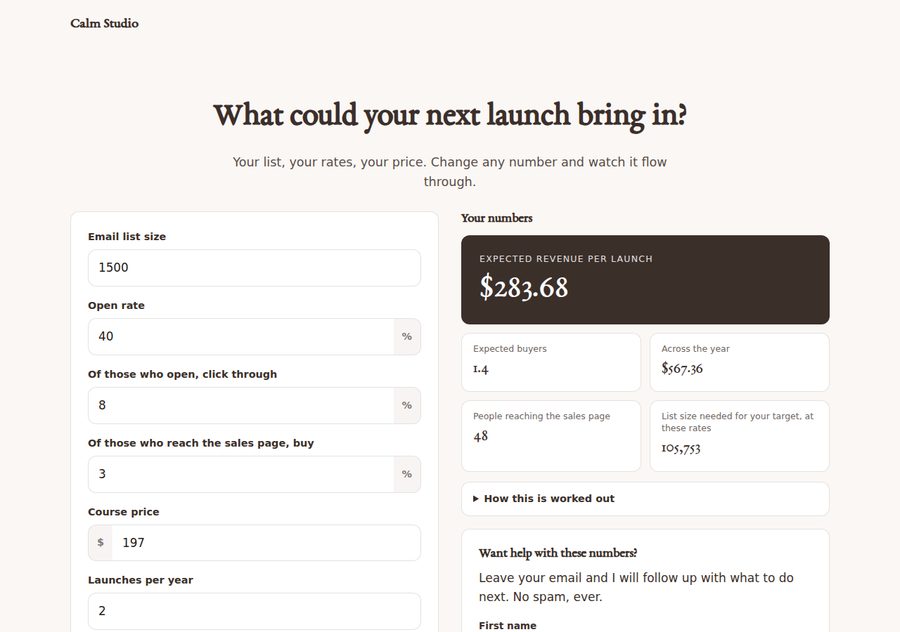
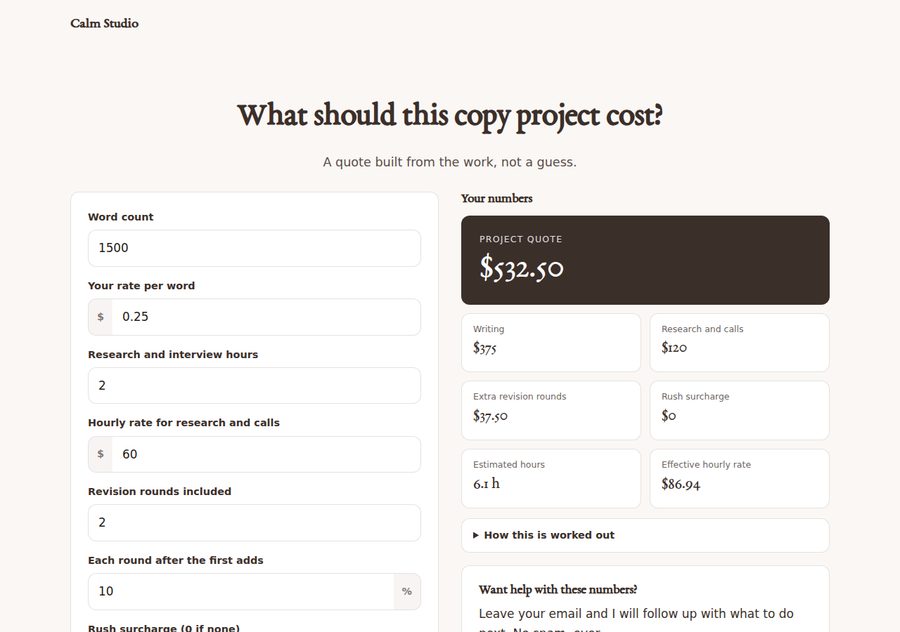
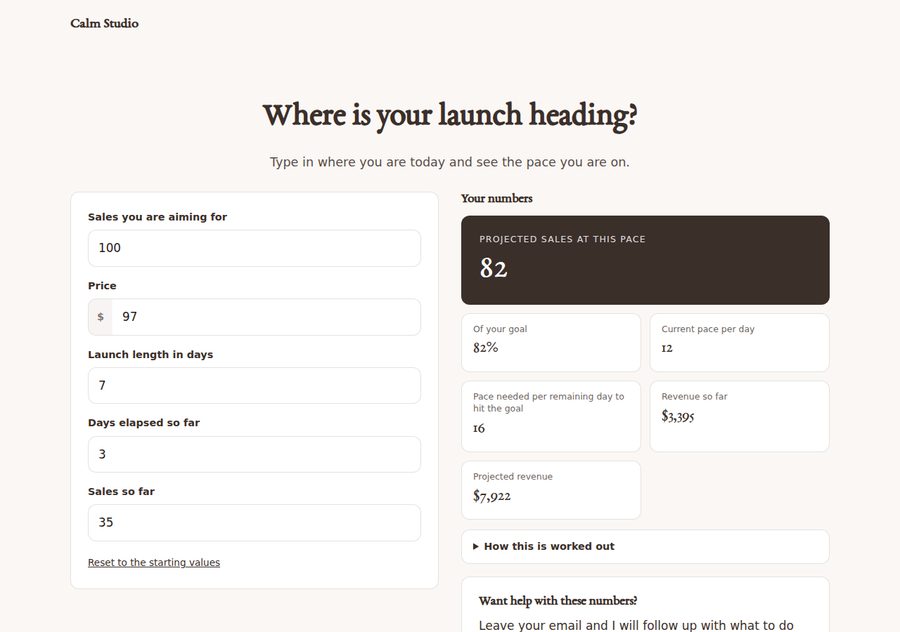
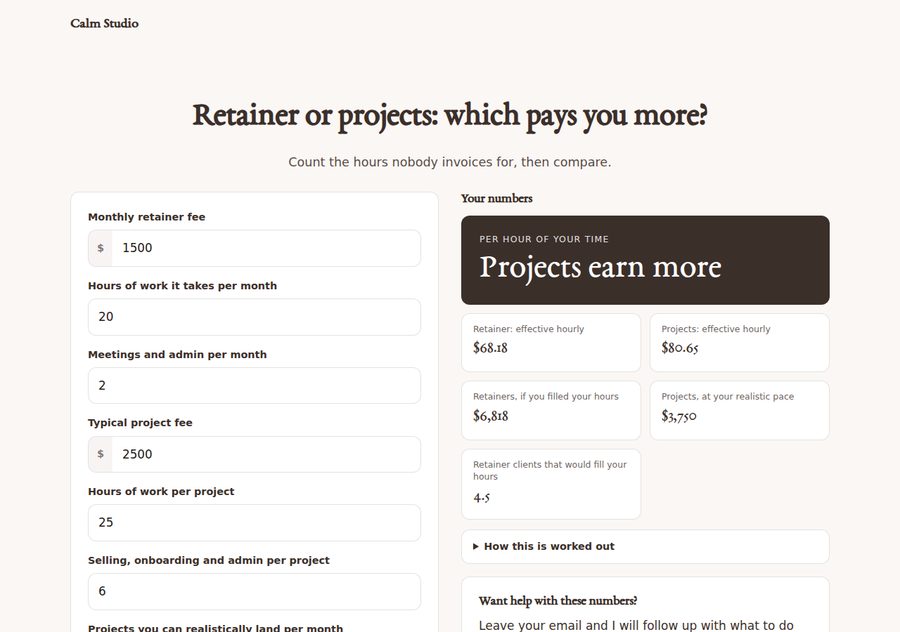
Ten calculators, shown as real exports
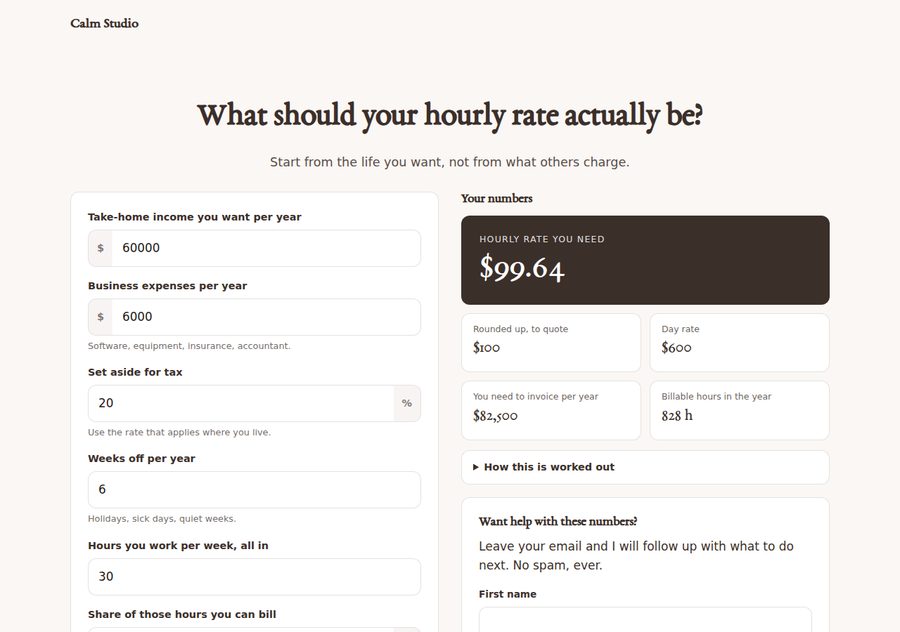
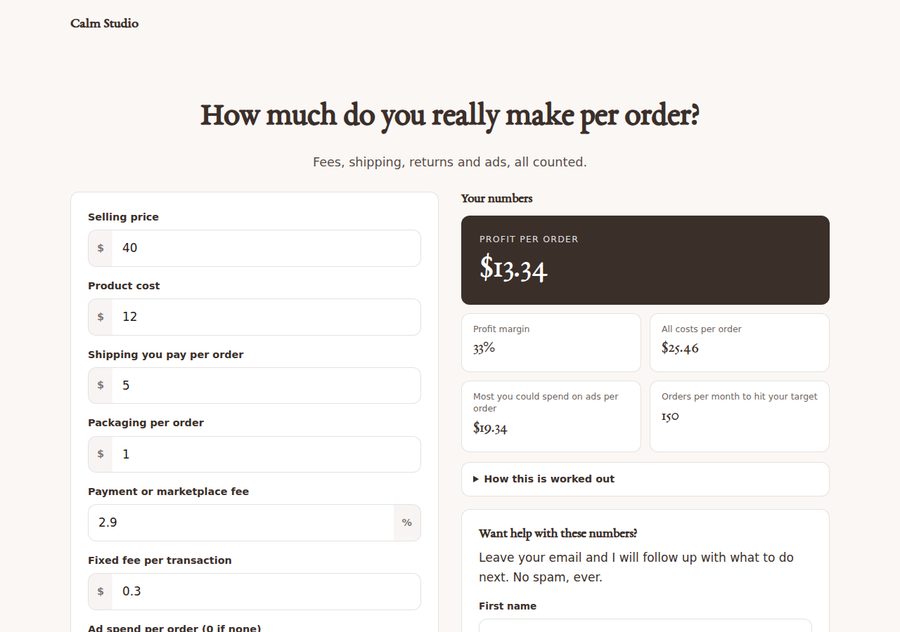
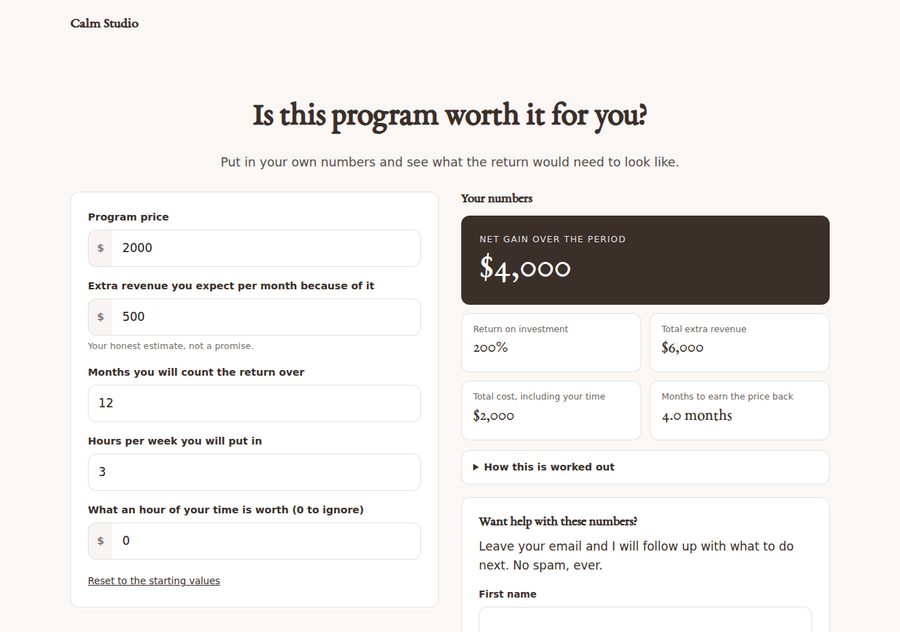
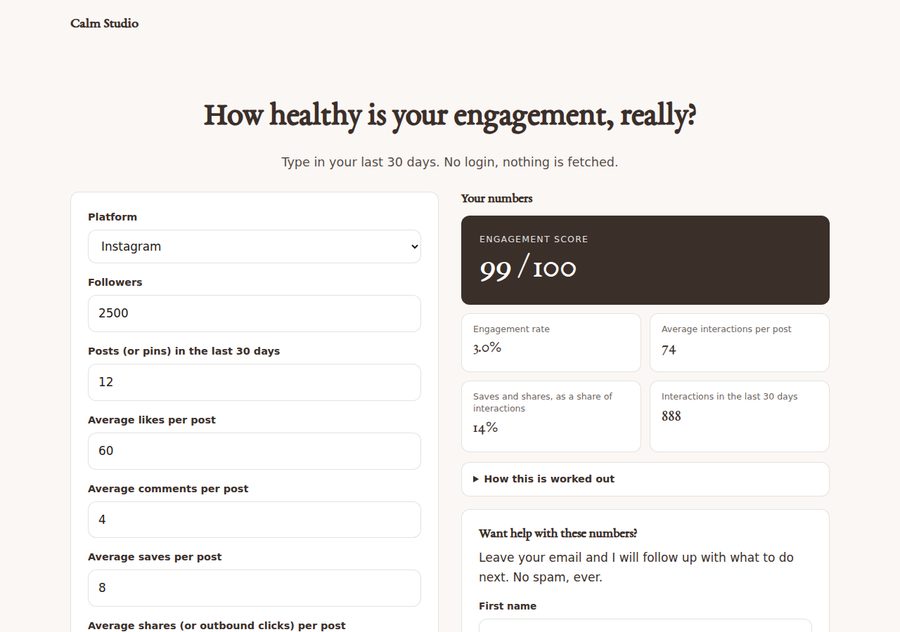
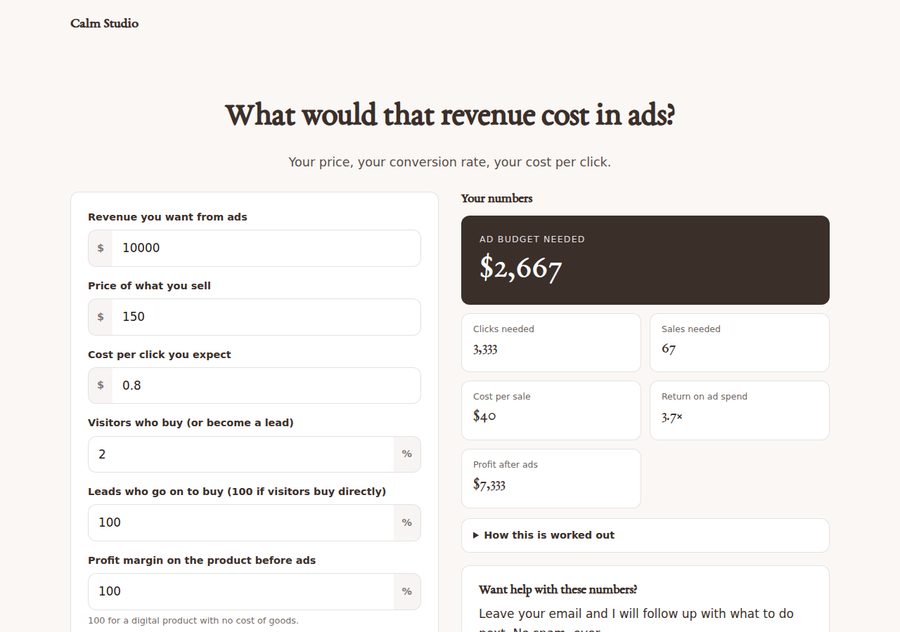
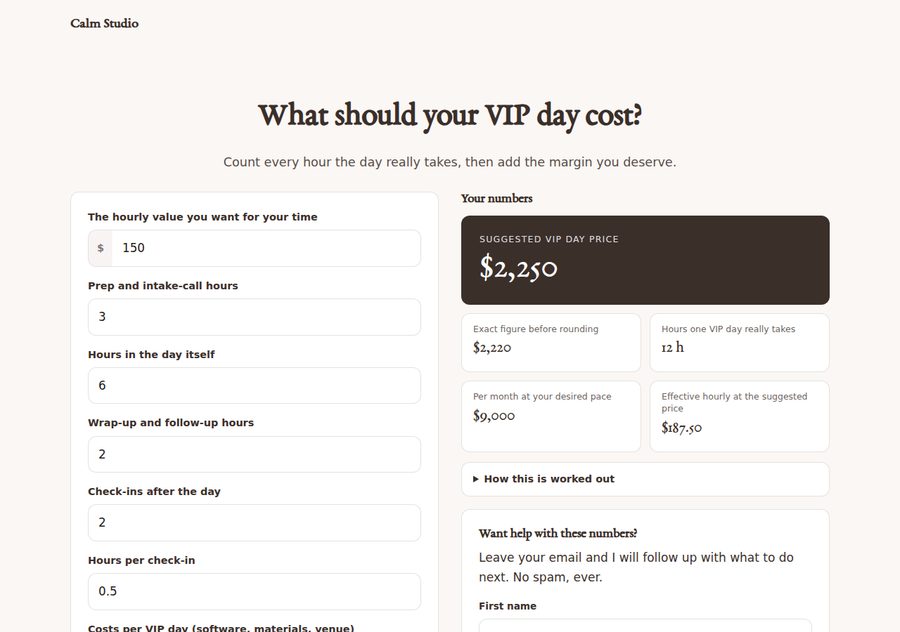
Each one below is an exported page with its starting values. The buyer renames anything, changes the defaults, hides inputs, and picks the headline result.
Every calculator shows how it is worked out
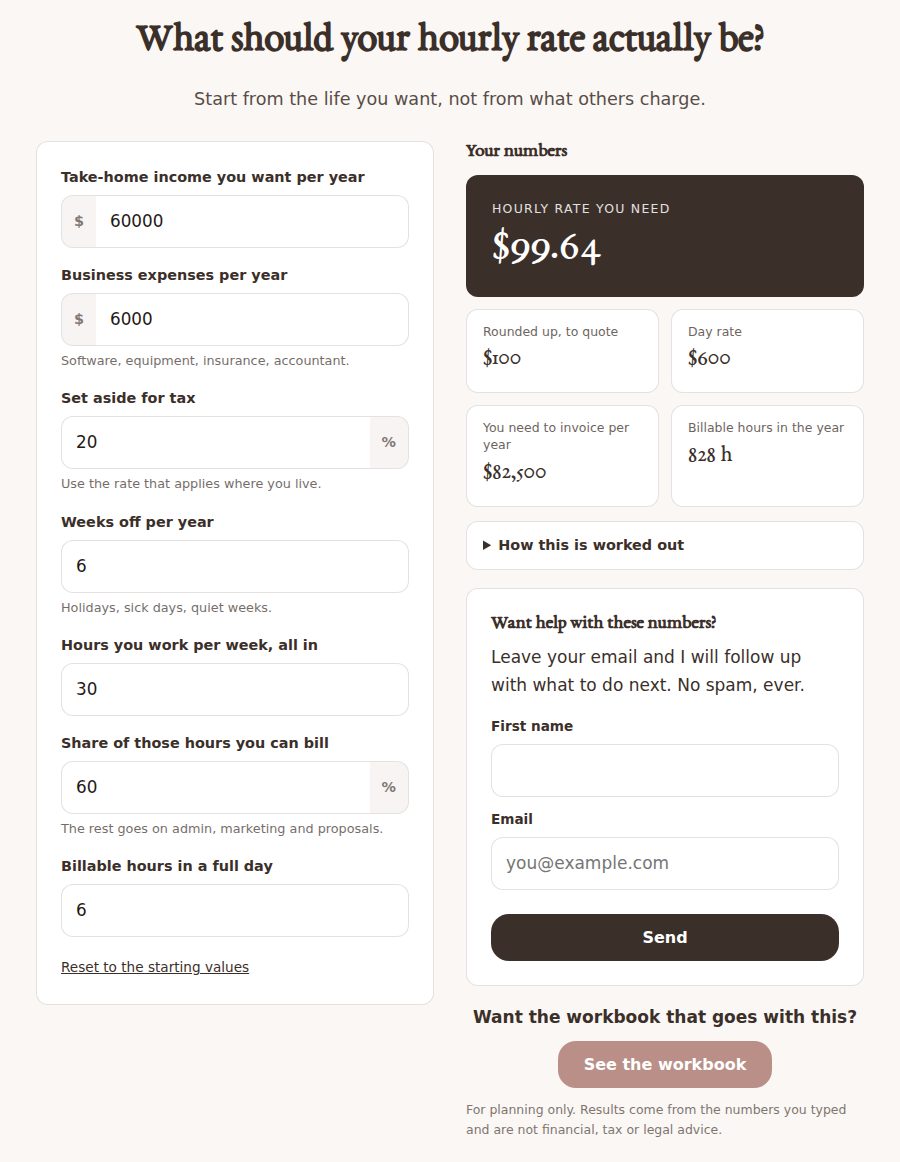
Under the results there is a panel that lists the formulas in plain words. It is the reason a visitor trusts the number, and the reason you can put your name on it.
- Invoiced per year = (take-home + expenses) ÷ (1 − tax share)
- Billable hours = (52 − weeks off) × hours per week × billable share
- Hourly rate = invoiced per year ÷ billable hours
- Rounded = up to the next 5
- Day rate = rounded rate × billable hours in a day
Want a line of your own? Add one with a small formula and the variables the panel lists:
Ask for an email before the result, or after. Their numbers come with it.
Choose no form, a follow-up card after the results, or a courtesy gate before them. Tick “send their results along” and every result travels with the sign-up, so your sheet holds their email and their numbers. The Google Sheet route is free and yours; a second script even emails them their results from your own Gmail.
Built for thumbs
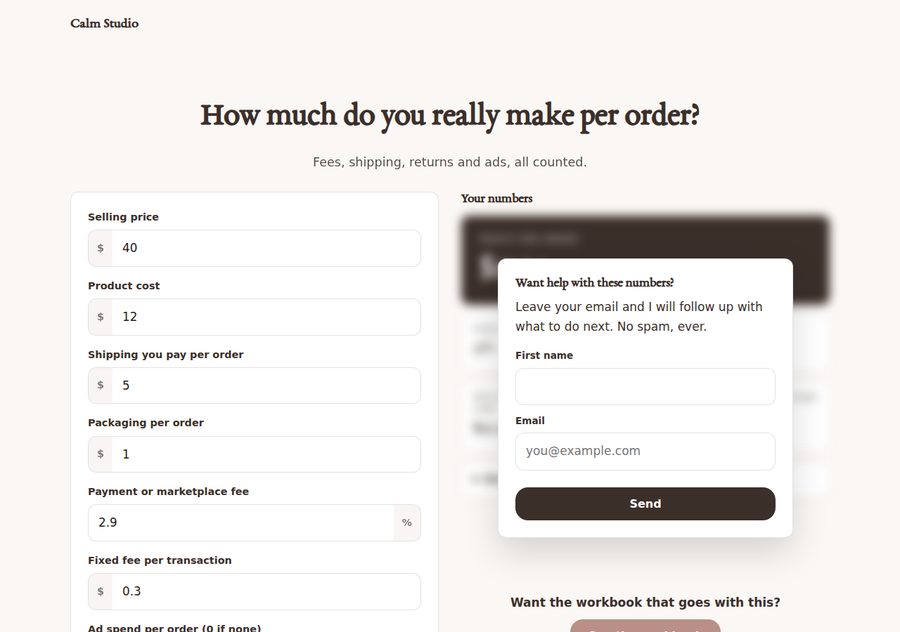
Three exports on a phone. The gated one shows the courtesy blur with the form on top.



Each phone scrolls through the whole page by itself — three real exports, top to bottom.
From pick to embed without a manual
Calculator
Pick one of ten. Each keeps its own settings.
Brand
Name, logo, colours, typeface, currency symbol. Set once.
Set up
Rename inputs, change starting values, hide fields, pick the headline result, add your own lines.
Sign-ups
Before or after, where they go, the button to your offer.
Finish
Full page or widget. Export, or copy an embed snippet that sizes itself.
Every label and default is yours
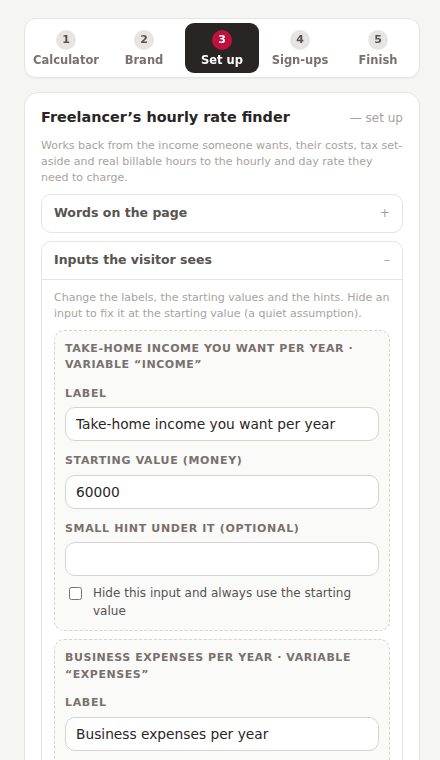
An input for “wedding photographers” should not say “business expenses”. Rename anything, change the starting values, and hide any input to fix it at a value you choose, a quiet assumption baked in for your niche.
A page, or a widget inside a page you already have
Export a full branded page to upload, or a bare widget with an embed snippet for a WordPress block, Squarespace, Showit, anywhere HTML is allowed. The frame sizes itself to the calculator, so there is no scrollbar inside it.
This is the actual interface
Photographs of the real thing. Five steps on the left, the calculator on the right, and you can type into it.
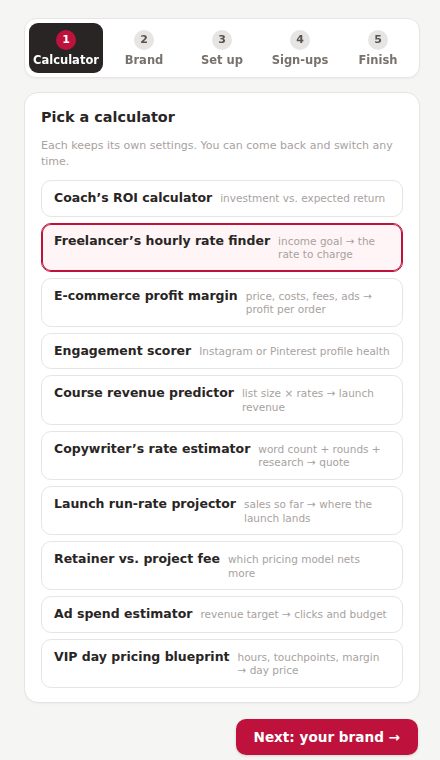
Step 1. Ten calculators in a list.
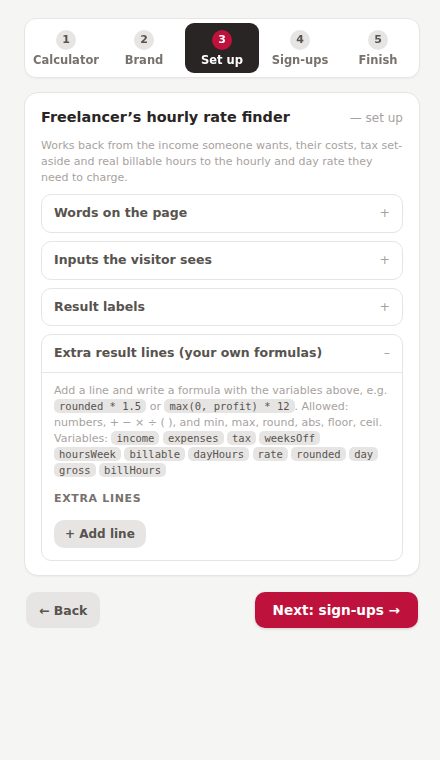
Your own result lines, with the variables listed for you.
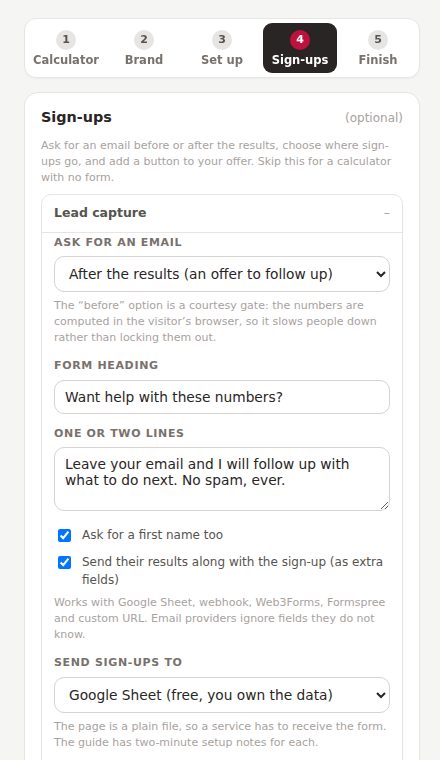
Step 4. Before or after, and where sign-ups go.
Four things I would rather you knew now
Ten calculators with their sums shown on the page. You rename, re-default, hide and add lines, but you cannot rewrite a built-in formula inside the tool, because then the “how this is worked out” list would lie. The compute code is plain JavaScript in the exported file if you ever want to.
A plain file cannot store an email. The free route is a Google Sheet you own, with a script from the guide (two minutes); or paste an ID from your email provider, a form service or a webhook.
The numbers are worked out in the visitor’s browser, so a determined person could read them without signing up. Most will not. Do not promise a client more than that; the guide says the same.
Each one carries an editable line saying the results come from the numbers typed and are not financial, tax or legal advice. Keep a line like it.
The tool, and everything around it
Fifty pin titles, two scripts, six prompts, a launch checklist
Five ready pin titles per calculator in the CSV shape She Thrives Traffic imports. Both Google Apps Script files as plain text (sheet only, and sheet plus an email to the visitor). Prompts for the page copy, the follow-up email using their actual results, a blog post per calculator. A one-page launch checklist. The sample brand kit shared with the Page Engine and Storefront. The Pin Schedule Planner, free.
Who this is for
- You are a coach, freelancer, shop owner or course creator who needs a better freebie than a PDF
- You want sign-ups that arrive with the person’s numbers, not just an email
- You would rather own ten calculators than rent one
- You like a tool that shows its working
- You need calculators with formulas of your own design from scratch; this has ten fixed ones plus your extra lines
- You want charts, graphs or saved histories; it gives numbers, clearly
- You expect the gate to be real security; it is a courtesy blur
- You want it to email people for you out of the box; the Gmail script does that, but you paste it in
This is where buyer comments will go once there are real ones. Nothing invented sits here in the meantime. If you are reading this, you are early.
Buy it once. It is yours.
Ten embeddable lead magnets for about the price of two months of a calculator subscription.
- Ten calculators: ROI, hourly rate, profit margin, engagement, course revenue, copy quote, launch pace, retainer vs project, ad spend, VIP day
- Rename inputs, change defaults, hide fields, choose the headline result, add your own formula lines
- “How this is worked out” shown on every page
- Email capture before or after the result, results sent along, ten destinations including a free Google Sheet
- Full page or widget with a self-sizing embed snippet
- Both Apps Script files, fifty pin titles, six prompts, a launch checklist, the sample brand kit
- Pin Schedule Planner included free
- Free updates and fixes, forever
The Calculator Suite, the Funnel & Page Engine ($79) and the Storefront & Link Organizer ($39) read the same kit file, so one brand runs through every calculator, page and shop shelf. All three together: $129 instead of $167. See the three together → · Page Engine · Storefront
Three promises, in plain words
A file on your computer. No login, no licence server, no monthly fee. The calculators you export are plain HTML and keep working on any host.
Your settings never upload. Your visitors’ numbers go only where you send them, and nowhere if you send them nowhere.
Email support@shethriveslab.com, or reply to your purchase email. If it is a bug I fix it and send you the new file, free, however long after you bought it.
The ones worth answering
What exactly do I receive?
A single HTML file you double-click, the tool, plus a plain-English guide, both Apps Script files, fifty pin titles as CSV, six AI prompts, a launch checklist, a sample brand kit and the Pin Schedule Planner. Opens in any modern browser; nothing to install.
How do I put a calculator on my site?
Two ways. Export a full page and upload it anywhere that serves plain files. Or export a widget, upload it, and paste the embed snippet into a WordPress Custom HTML block or any code block. The frame sizes itself; the guide has the clicks.
How do the sign-ups reach me?
Pick a destination in step 4. The free one is a Google Sheet you own: paste the script from the download, deploy it, copy the URL. Kit, MailerLite, Mailchimp, Web3Forms, Formspree, a Make or Zapier webhook and Netlify are the others. With a sheet or webhook, the visitor’s results arrive as columns next to their email.
Can it email the visitor their results?
Yes, with the second script in the download: the sheet fills as before, and Google sends the visitor an email from your Gmail with their numbers and one link to your next step. You paste the script once; the guide shows where.
Can I change how a calculator calculates?
You can rename and re-default everything, hide inputs to bake in assumptions, and add your own result lines with a small formula. The ten built-in formulas stay fixed so the “how this is worked out” panel always tells the truth.
Does it work with the other She Thrives tools?
Yes. It shares one kit file with the Page Engine and Storefront, so the brand you set here matches the pages and shop you make there.
Can I use it for client work?
Yes. Every calculator you export is yours to put on any site you or your clients own. What you may not do is pass on or resell the tool file itself. The full licence comes with it.
What if it is not what I expected?
Because it is an instant download, it is not returnable once you have it; that is stated at checkout, and it is why this page shows real exports and lists what the tool does not do. If something is broken, that is different: tell me and I will fix it.
The freebie people actually use
Ten of them, in your brand, showing their working, sending you the numbers. Buy once.
Get the Calculator Suite — $49