
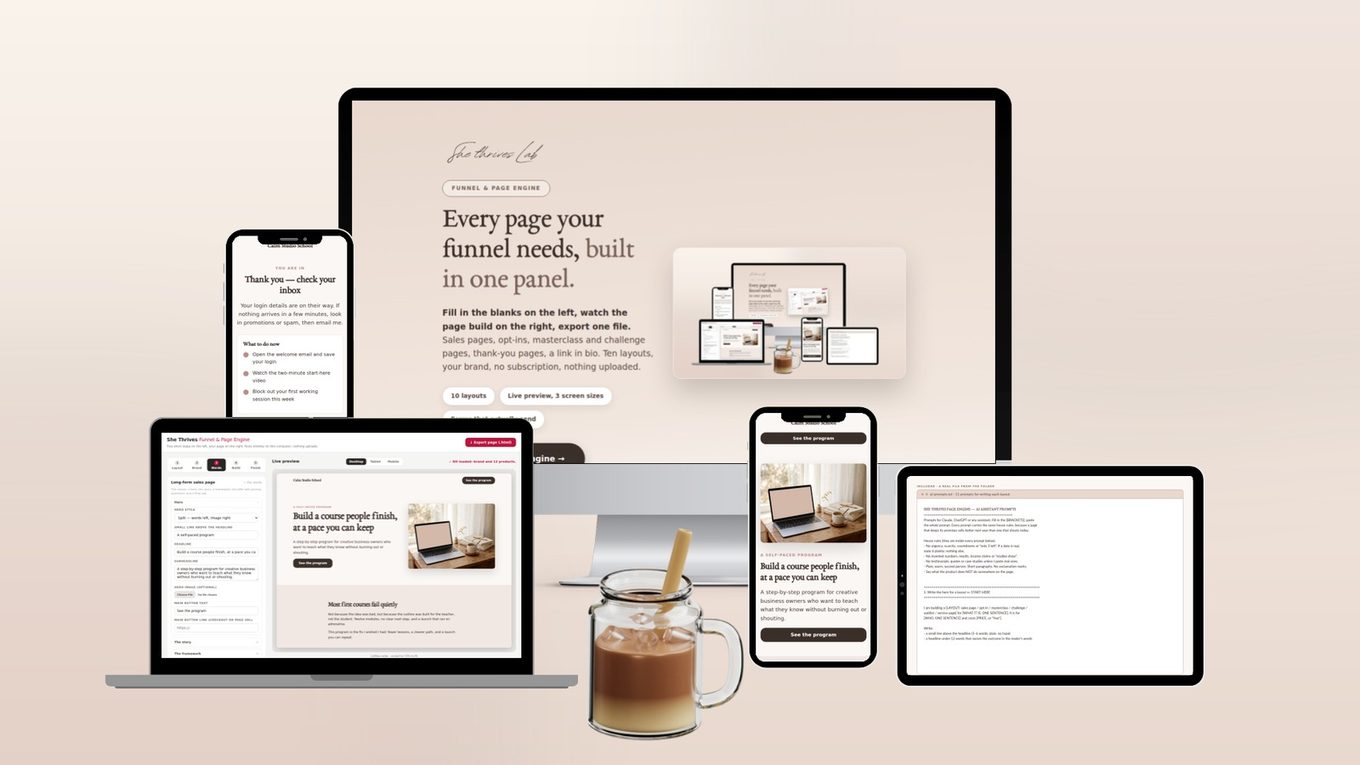
Every page your funnel needs, built in one panel.
Fill in the blanks on the left, watch the page build on the right, export one file. Sales pages, opt-ins, masterclass and challenge pages, thank-you pages, a link in bio. Ten layouts, your brand, no subscription, nothing uploaded.
A sales page should not cost money every month it exists.
Page builders charge rent. The page you made in March is still being paid for in November, whether or not anyone bought. Miss a payment and the page goes dark.
The Page Engine builds the same pages as a plain HTML file you upload anywhere and own outright. Fill in a panel, watch it take shape, export. If this business vanished tomorrow, your pages would still be up.
Under a minute in the tool, no cuts
A real screen recording: pick a layout, change the headline and watch the page follow, check the phone view, hide a section, export. Silent on purpose — there is nothing to sell you in it.
Recorded in the tool at normal speed. Nothing sped up, nothing edited out. It plays on its own while it is on screen; press pause any time.
Ten layouts, shown as real exports
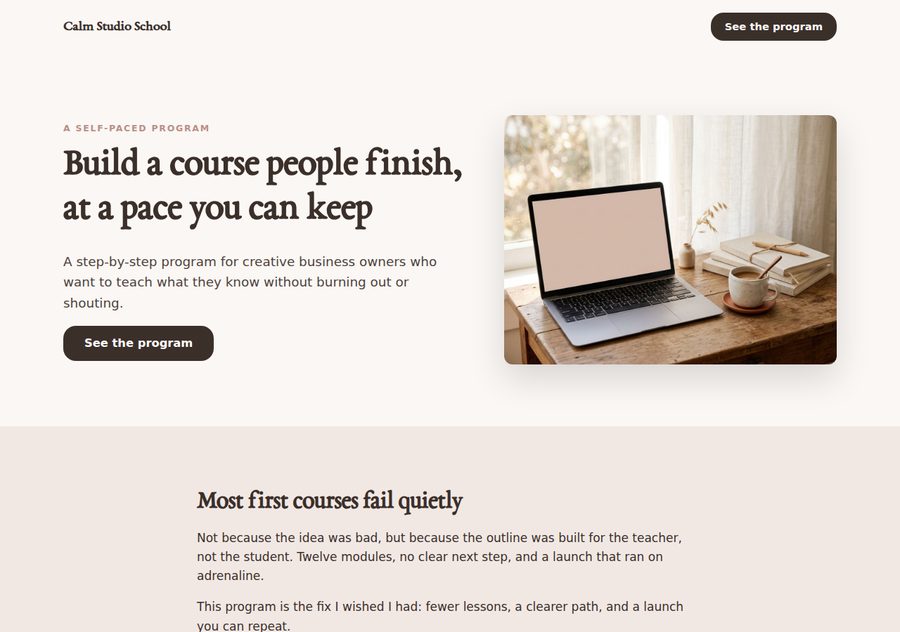
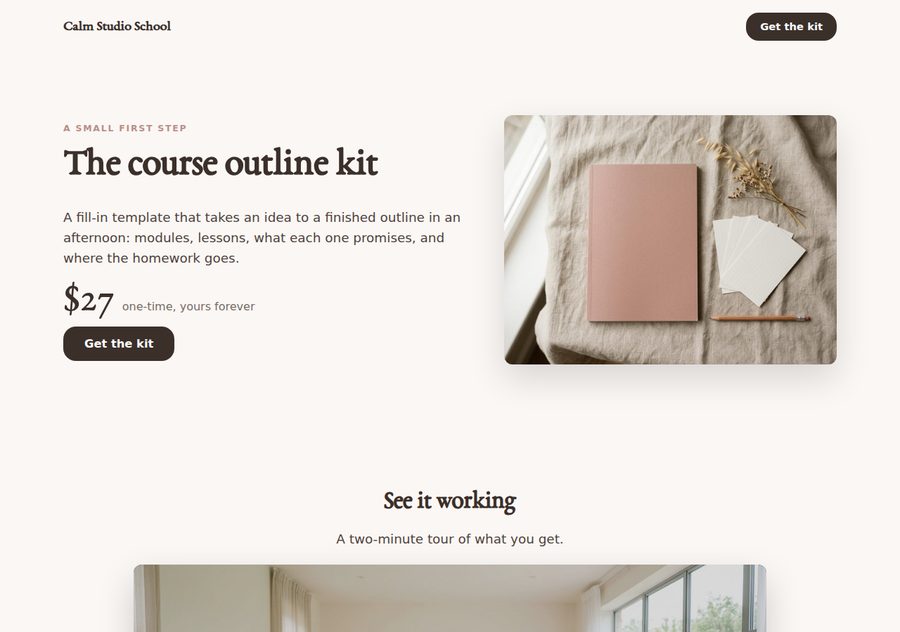
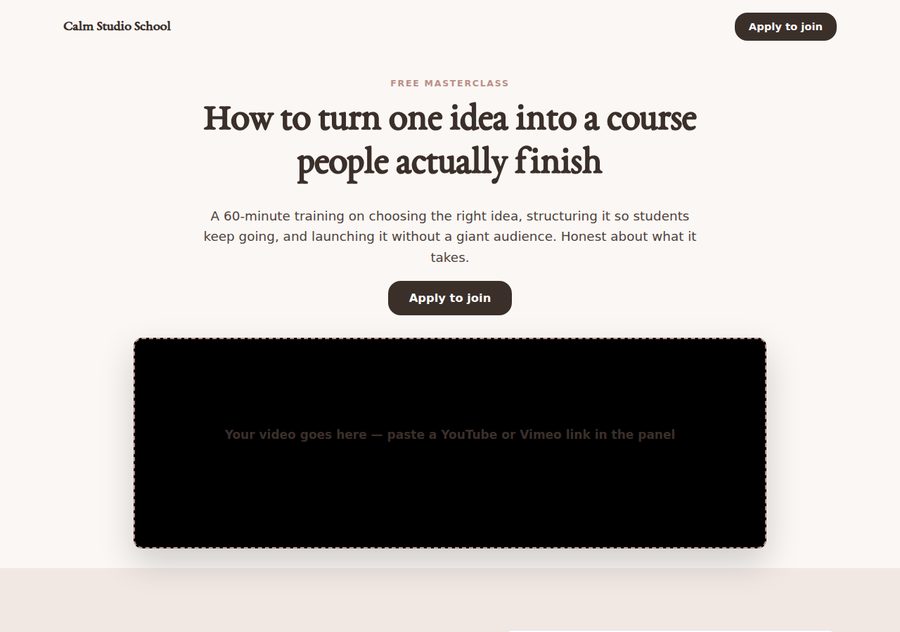
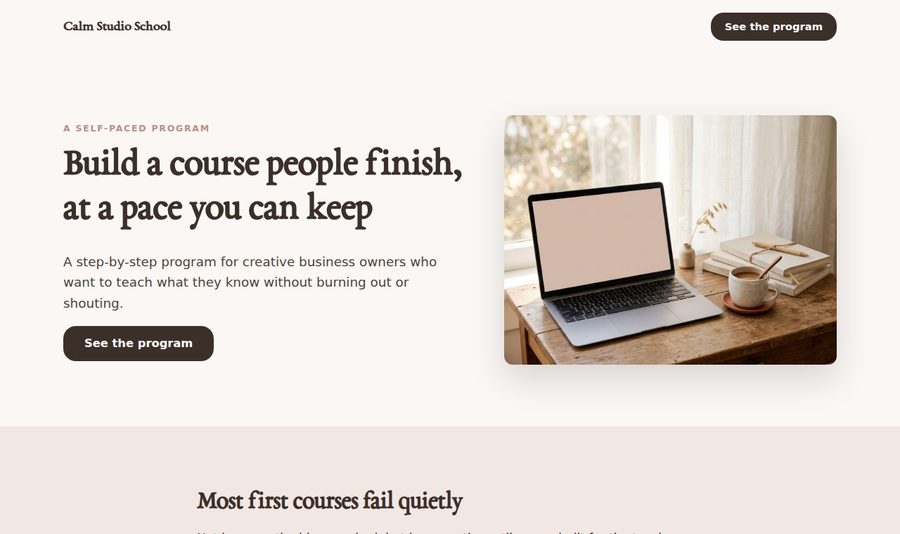
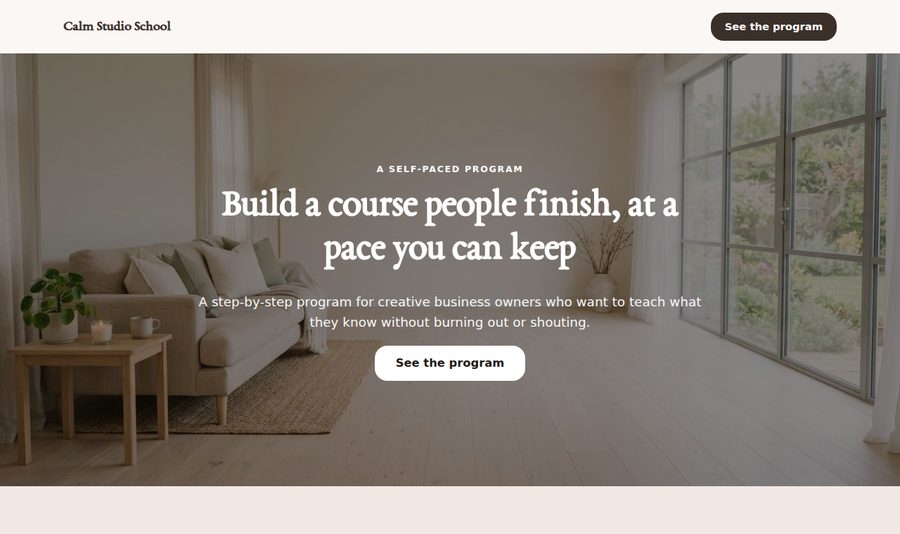
Every image below is an exported page from the Page Engine, filled with the example copy that comes with it. The photos are placeholders; yours go where they sit.
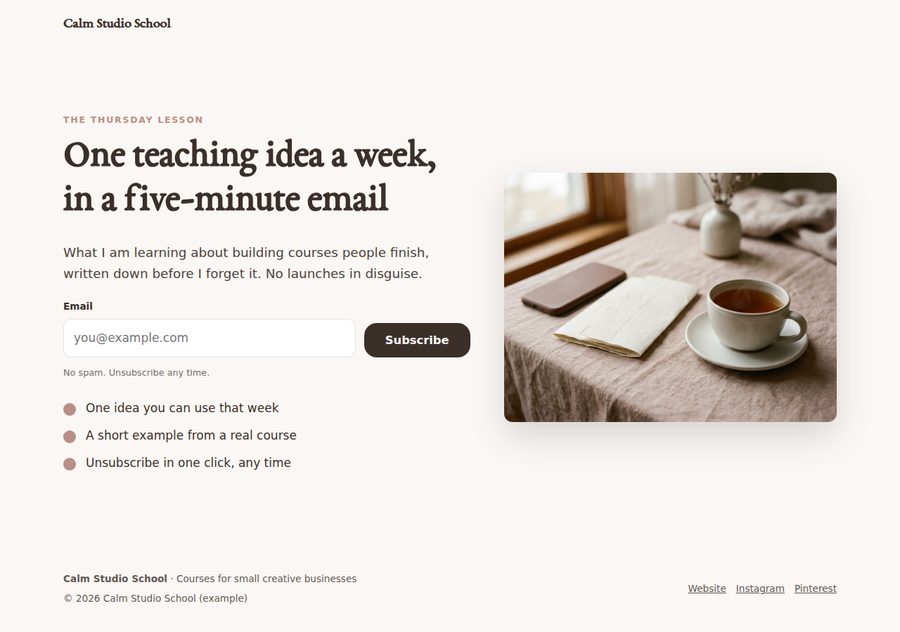
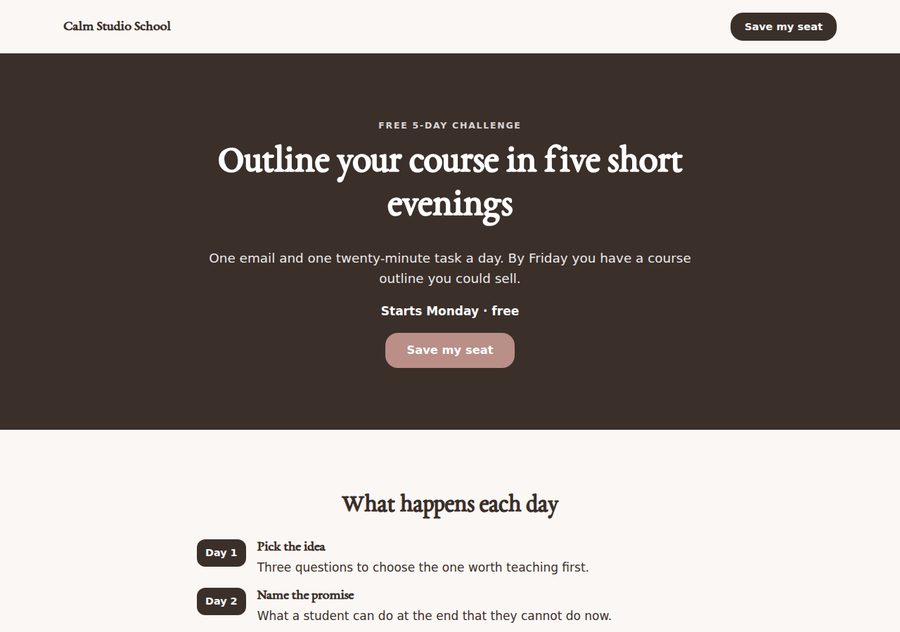

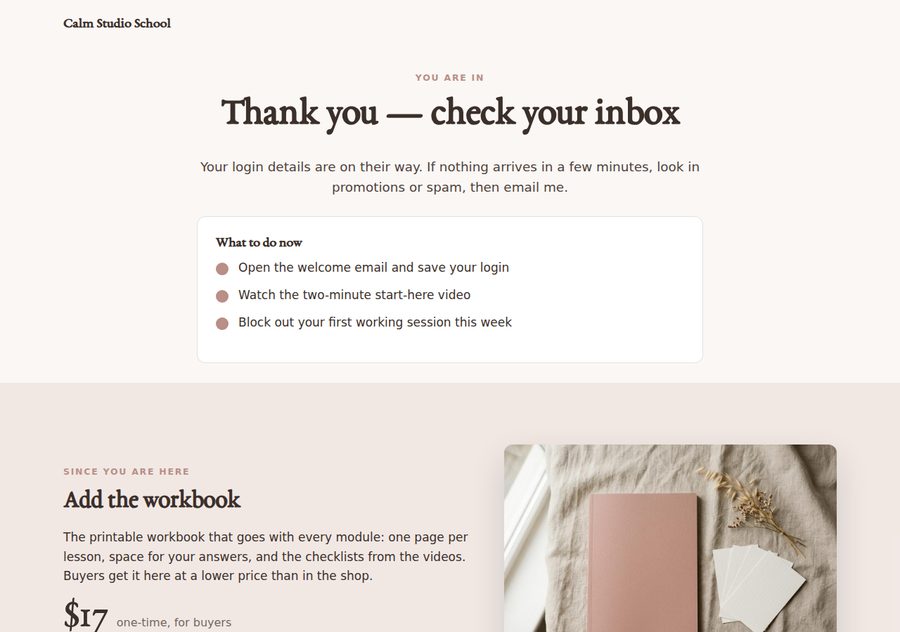
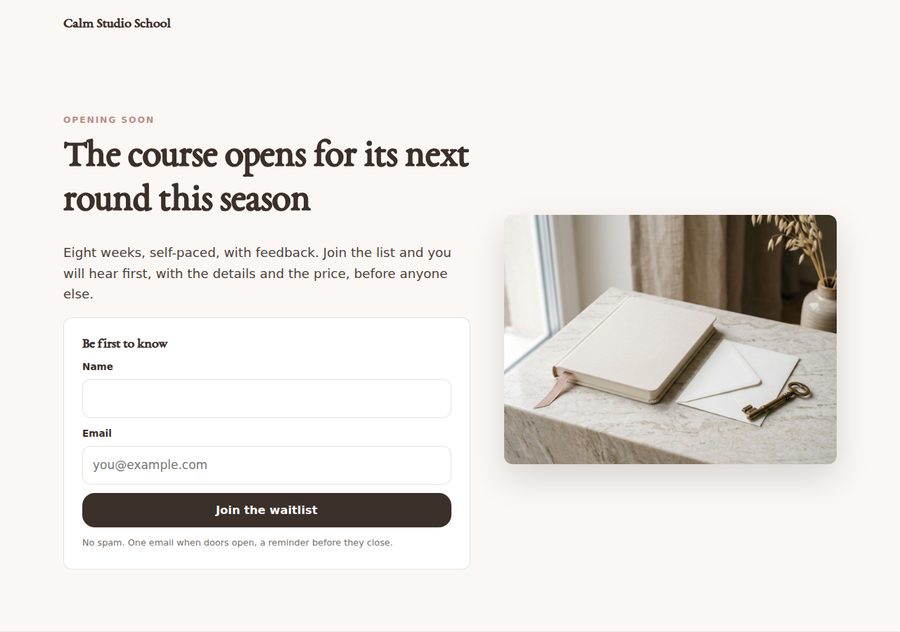
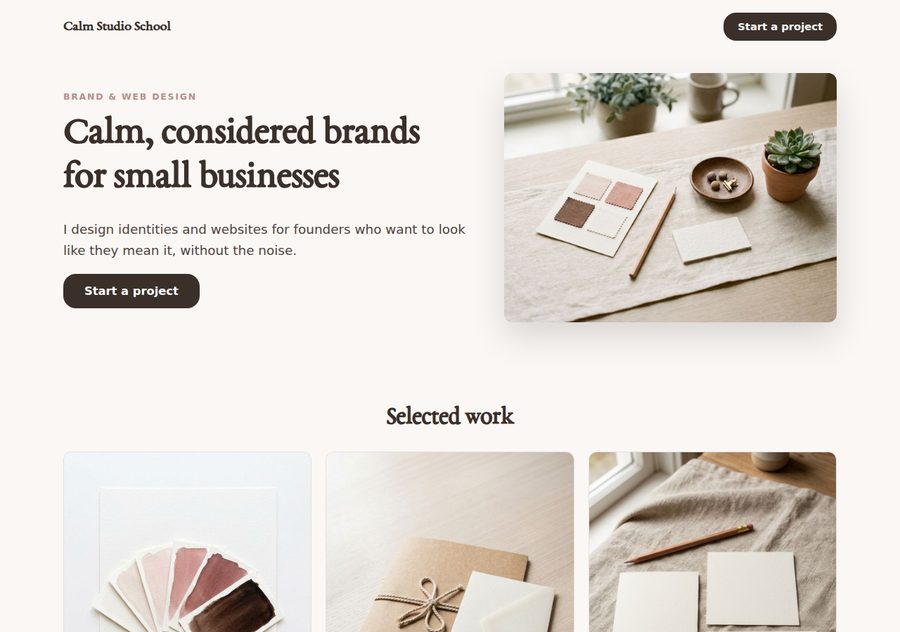
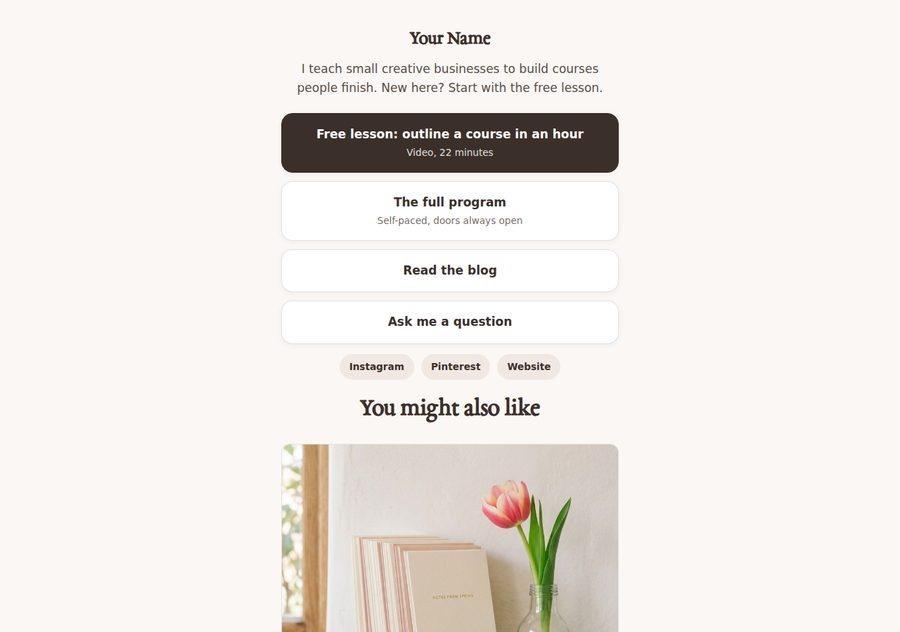
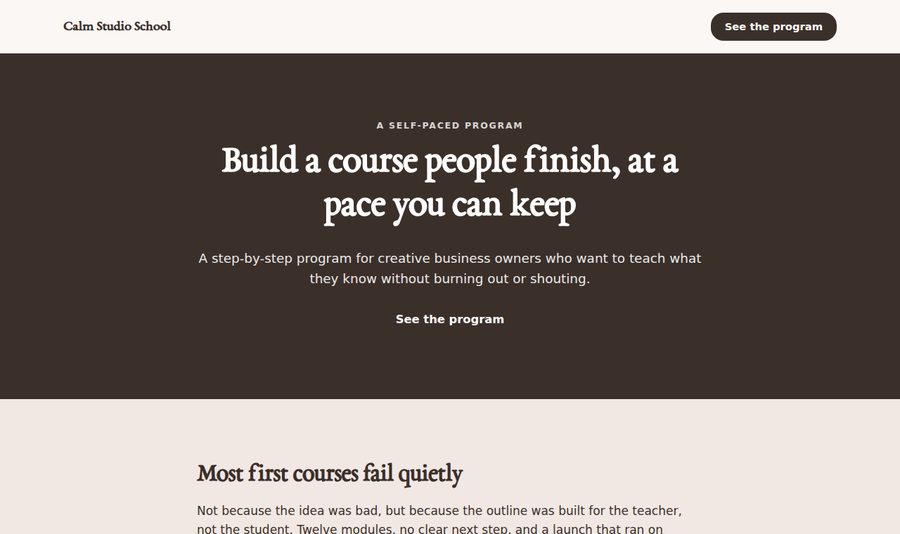
Four hero styles, same fields, switch freely
Split, centred, cover and plain. The same long-form page, four ways, without retyping a word.

Every page is built for the phone first
The preview switches between desktop, tablet and mobile with one click, and every export is the same file at every size. These are the phone views of three real exports.

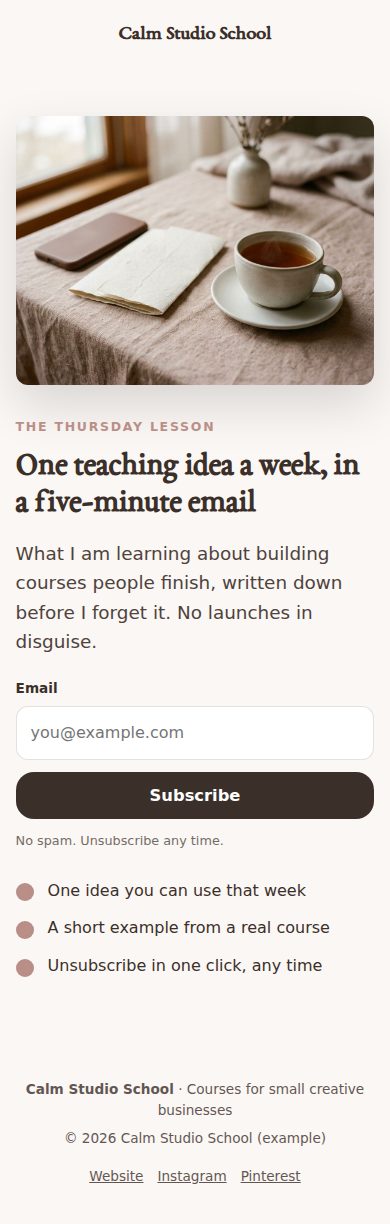
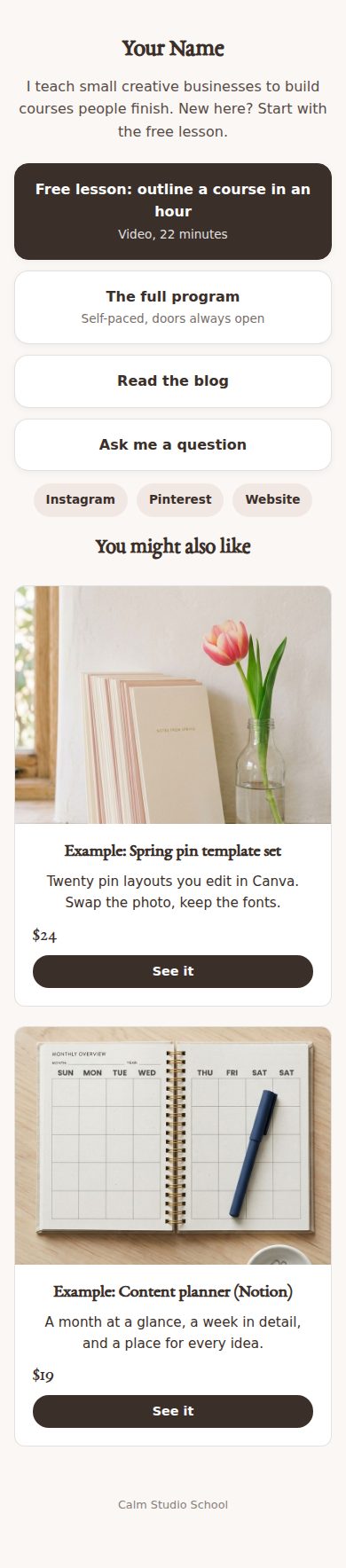
Each phone scrolls through the whole page by itself — three real exports, top to bottom.
Forms that send somewhere real, without a platform
A plain page cannot store sign-ups by itself, so every form has a “Send this form to” menu. Pick a destination, paste one ID, done. The free option is a Google Sheet you own, with an eight-line script from the guide.
From blank to exported without a manual
Layout
Pick one of ten. Optionally fill it with example copy for a course, a shop or a service, then edit.
Brand
Name, logo, colours, typeface, links. Set once, used by every layout.
Words
The layout’s sections, one open at a time, the page updating as you type.
Build
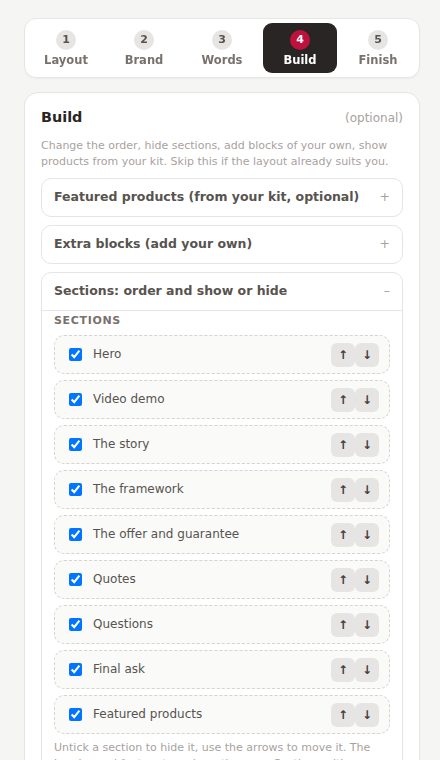
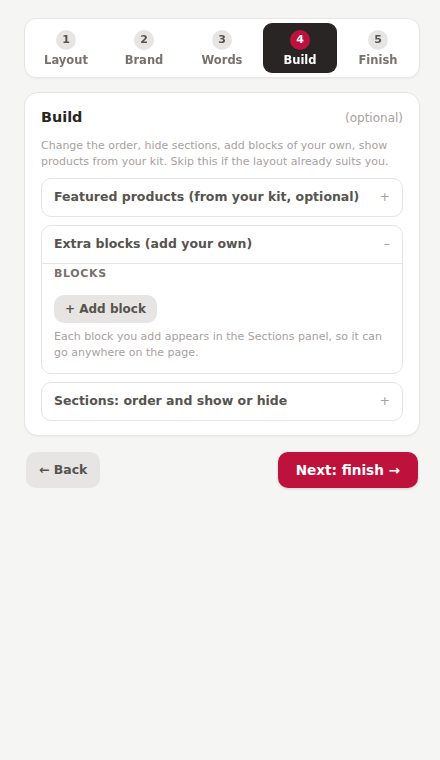
Reorder or hide sections, add your own blocks: text, image and text, video demo, carousel, cards.
Finish
Page title, share image, export. One HTML file, ready to upload.
Start from example copy, not a blank box
Every layout has three worked examples written for a course creator, a template shop and a coach or service provider. Fill in, then make it yours. Images, links and form settings are left alone, and “Undo fill” puts your own words back.
Move sections, hide sections, add your own
Put the offer above the story. Drop the framework you do not have. Add a video demo under the hero, a carousel of your work lower down, three small cards anywhere. Every block you add appears in the Sections list and can go wherever it belongs.
A video demo that keeps the page fast
Paste a YouTube or Vimeo link and the page shows a poster with a play button, loading the player only when someone clicks. Or point it at a short .mp4 and it loops silently like a GIF, with a pause control. A tool demo above the price, honest and quiet.

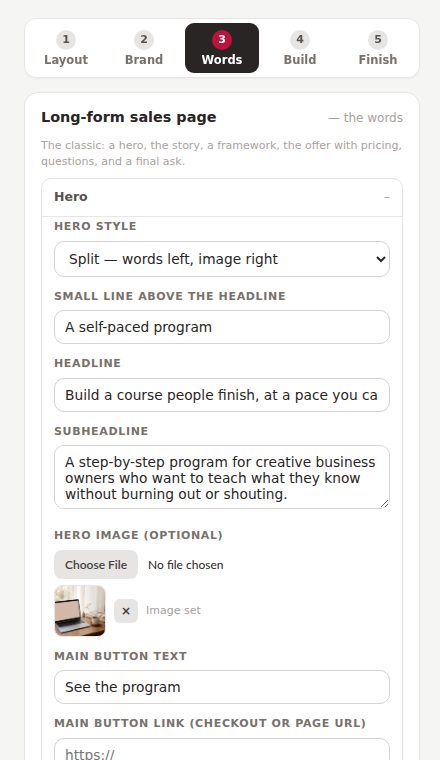
This is the actual interface
Photographs of the real thing, so nothing surprises you after you pay. Five steps on the left, the page on the right.
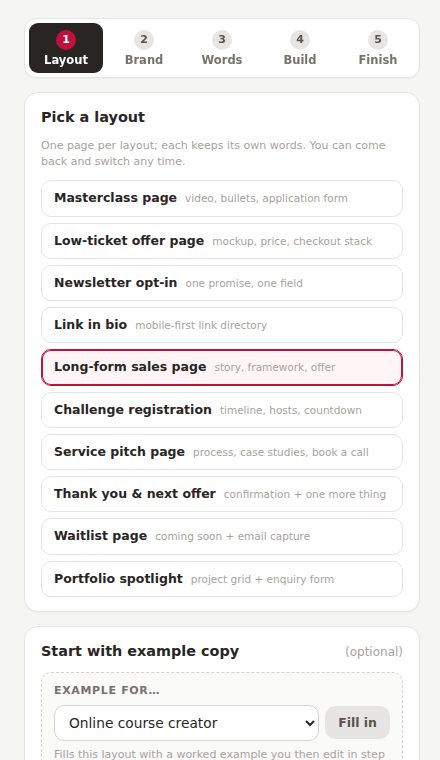
Step 1. Ten layouts in a list, and the example copy to start from.

The form section: choose where sign-ups go, paste one ID.
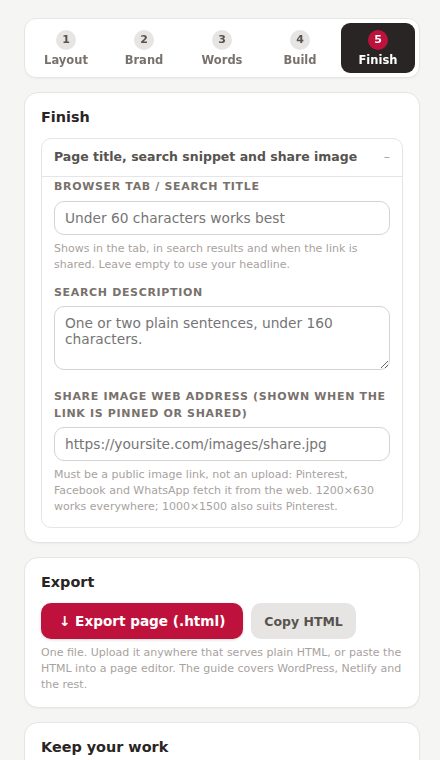
Step 5. Title, share image, export, and the shared brand kit.
Five things I would rather you knew now
You get a file. Upload it to your web host, Netlify, Cloudflare Pages, GitHub Pages or paste it into WordPress. The guide walks through each. No hosting is included, because hosting is the rent I am trying to save you.
A plain file cannot store sign-ups. The tool gives you twelve places to send them, including a free Google Sheet you own, but you set one up (two minutes; the guide has the steps and the script).
Buy buttons are links to your checkout: Stripe Payment Link, Lemon Squeezy, Gumroad, Payhip, your cart. Payment, delivery and receipts happen there, where they should.
There is no timer that resets for each visitor and no “only 3 left”. Testimonial and case-study blocks start empty and stay hidden until you paste something a real person actually said.
One page per export, with your header and footer. For a whole site with menus and a blog, keep your website; use this for the pages that sell, collect and thank.
The tool, and everything around it
Three finished example projects, prompts, checklists, the kit
Load an example project and see every layout filled in for a course creator, a template shop or a coach. Eleven AI prompts for writing each section in your voice with the honesty rules built in. A what-to-have-ready checklist per layout. A sample brand kit that also loads into the Calculator Suite and Storefront. The Pin Schedule Planner, free.

Who this is for
- You sell digital products, courses or services and need pages that sell, collect and thank
- You are paying monthly for a page builder and would rather own the pages
- You want your pages, calculators and shop to match without a designer
- You would rather see the honest limits on the page than find them after
- You want hosting, payments and email sending inside one platform; this deliberately does none of those
- You need a whole website with menus and a blog; this makes single pages
- You want the copy written for you; it gives you examples and prompts, the words stay yours
- You want a countdown that restarts for every visitor; it will not do that
This is where buyer comments will go once there are real ones. Nothing invented sits here in the meantime. If you are reading this, you are early.
Buy it once. It is yours.
No subscription, no account, nothing to cancel. Less than a single month of the page builder it replaces.
- Ten layouts: masterclass, low-ticket offer, opt-in, link in bio, long-form sales, challenge, service pitch, thank-you, waitlist, portfolio
- Four hero styles per layout; reorder, hide and add sections
- Video demo, carousel, image-and-text, cards, text blocks you add anywhere
- Forms to twelve destinations including a free Google Sheet, with in-page thank-you or redirect
- Live preview at desktop, tablet and phone; one clean HTML export
- Share image and FAQ markup for search, built in
- Three finished example projects, eleven AI prompts, a per-layout checklist, the sample brand kit
- Pin Schedule Planner included free
- Free updates and fixes, forever
The Page Engine, the Calculator Suite ($49) and the Storefront & Link Organizer ($39) read the same kit file, so one brand runs through every page, calculator and shop shelf. All three together: $129 instead of $167. See the three together → · Calculator Suite · Storefront
Three promises, in plain words
A file on your computer. No login, no licence server, no monthly fee. The pages you export are plain HTML that will work on any host for as long as the web does.
Your words and images are never uploaded. The page is built inside your own browser, which is also why it works with the internet off.
Email support@shethriveslab.com, or reply to your purchase email, and say what you clicked, what you expected and what happened. If it is a bug I fix it and send you the new file, free, however long after you bought it.
The ones worth answering
What exactly do I receive?
A single HTML file you double-click, the tool, plus a plain-English guide, three example projects, AI prompts, a checklist per layout, a sample brand kit and the Pin Schedule Planner. It opens in Chrome, Edge, Firefox or Safari. Nothing to install, no account.
Where do I put the exported page?
Anywhere that serves plain files: your web host’s file manager, Netlify Drop, Cloudflare Pages, GitHub Pages, Vercel. On WordPress, upload it or paste the body into a Custom HTML block. The guide covers each with the exact clicks.
How do sign-ups reach me if there is no platform?
Every form has a “Send this form to” menu. The free route is a Google Sheet you own: paste an eight-line script into Apps Script, deploy, copy the URL into the tool. Or paste a form ID from Kit, MailerLite or Mailchimp, a Web3Forms key, or a Make or Zapier webhook. Two-minute setup notes for each are in the guide.
Can it take payments?
No, and on purpose. Buy buttons link to your checkout: Stripe Payment Link, Lemon Squeezy, Gumroad, Payhip, your own cart. Those handle payment, delivery and receipts properly; a plain page should not pretend to.
Does it write the page for me?
It gives you three worked examples per layout and eleven prompts for writing each section in your own voice. The words stay yours. Quotes and case studies are never filled in for you, because only real ones belong there.
Does it work with the other She Thrives tools?
Yes. The Page Engine, Calculator Suite and Storefront share one kit file for brand and products. Build your catalogue in the Storefront, import the kit here, and a sales page can show a featured-products block from it.
Can I use it for client work?
Yes. Every page you export is yours to use commercially or hand to a client, no credit required. What you may not do is pass on or resell the tool file itself. The full licence comes with it.
What if it is not what I expected?
Because it is an instant download, it is not returnable once you have it; that is stated at checkout before you pay, and it is why this page shows real exports and lists what the tool does not do. If something is broken, that is different: tell me and I will fix it.
The pages you keep paying rent on
Build them once, in your brand, from a panel that shows you the page as you type. Then own them.
Get the Page Engine — $79