
The freebie that grows your list, made in minutes.
Paste a blog post. Out comes a branded, printable PDF lead magnet — a checklist, worksheet, cheat sheet, mini-guide or habit tracker — in your colours, with your name on it, ready to trade for email addresses.
Get She Thrives Lead Magnets — $59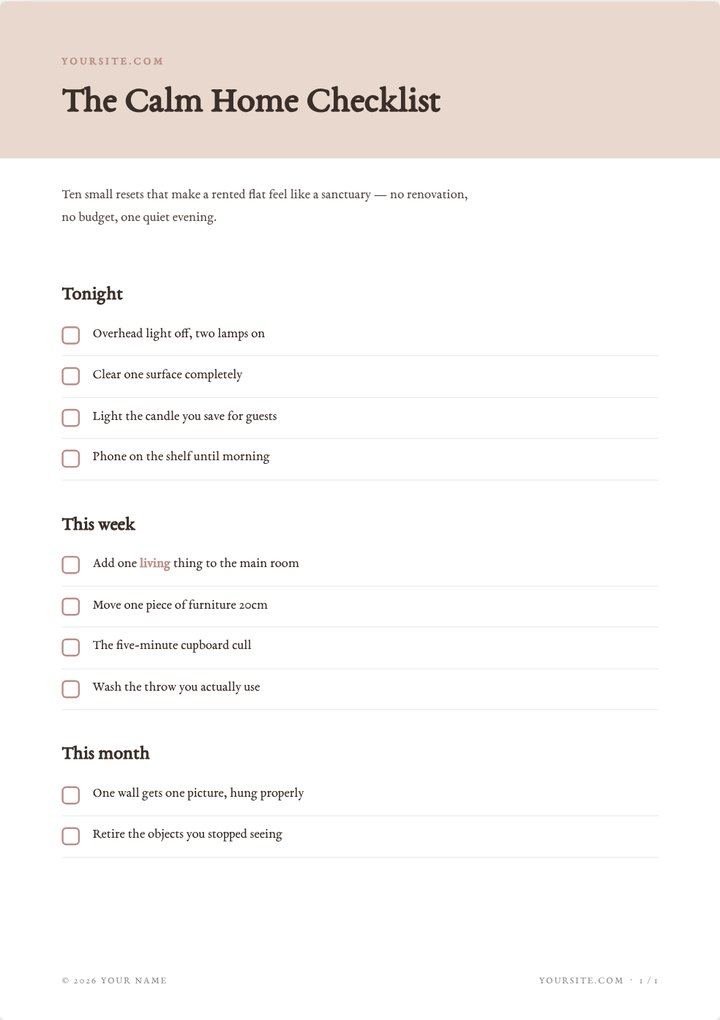
Everyone says “grow your email list.” Nobody mentions the freebie has to come from somewhere.
A signup box with nothing behind it converts nobody. So the checklist gets added to the someday list — because making one means an evening in Canva, aligning tick-boxes by hand, for a PDF that still looks slightly off.
Meanwhile the post it belongs in — your best post, the one already getting readers — sits there with no reason for anyone to leave an email address.
Under a minute in the tool, no cuts
A real screen recording: choose the type and layout, paste your points and watch the page build, change the font, download the PDF. Silent on purpose.
Recorded at normal speed. Nothing sped up, nothing edited out. It plays on its own while it is on screen; press pause any time.
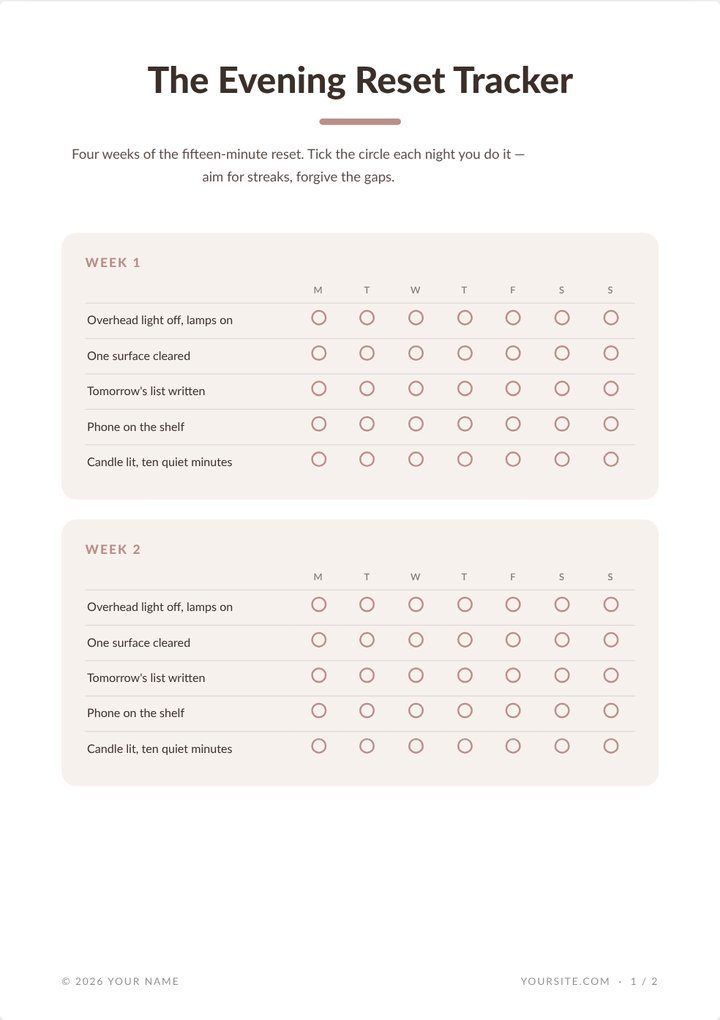
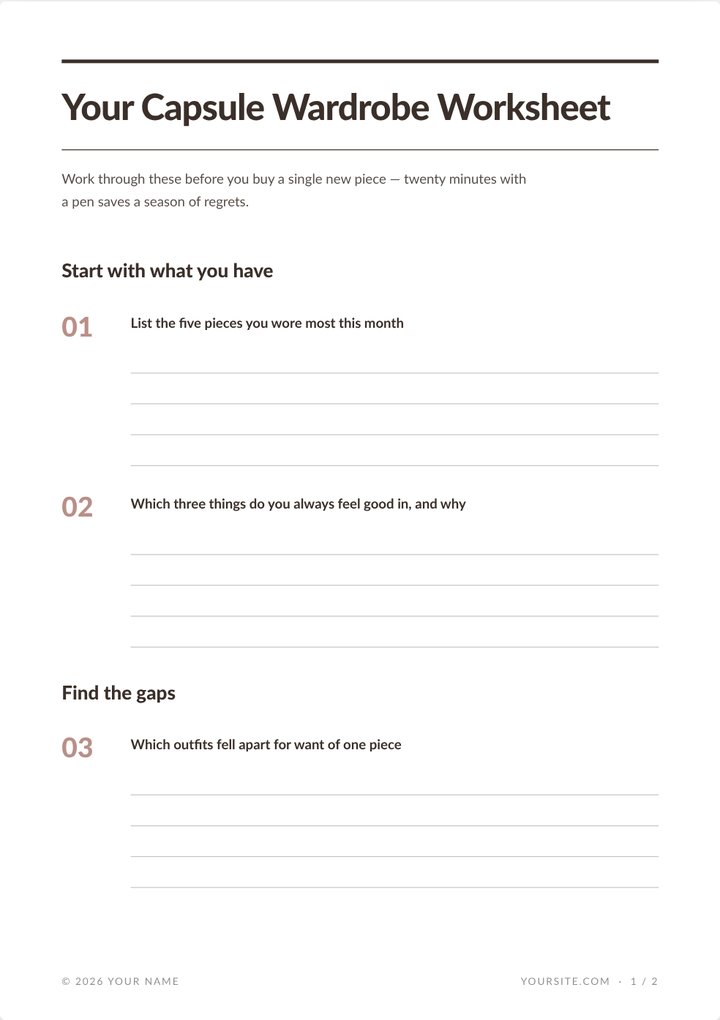
Five magnet types, shown as real output
Every page below came out of She Thrives Lead Magnets exactly as you see it — pasted text in, finished pages out. And each type carries its own layouts — sixteen across the five — from banner headers to framed posters to full-bleed covers.
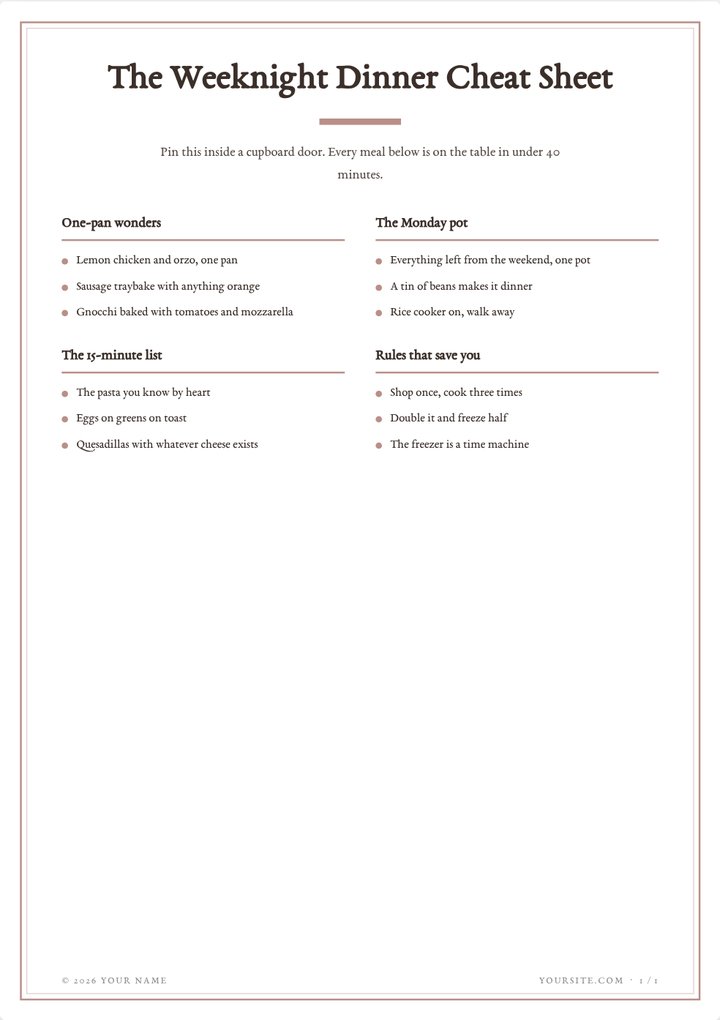
One paste, five tries.
The same pasted content rebuilds as any type with one click — so you can see all five before choosing.
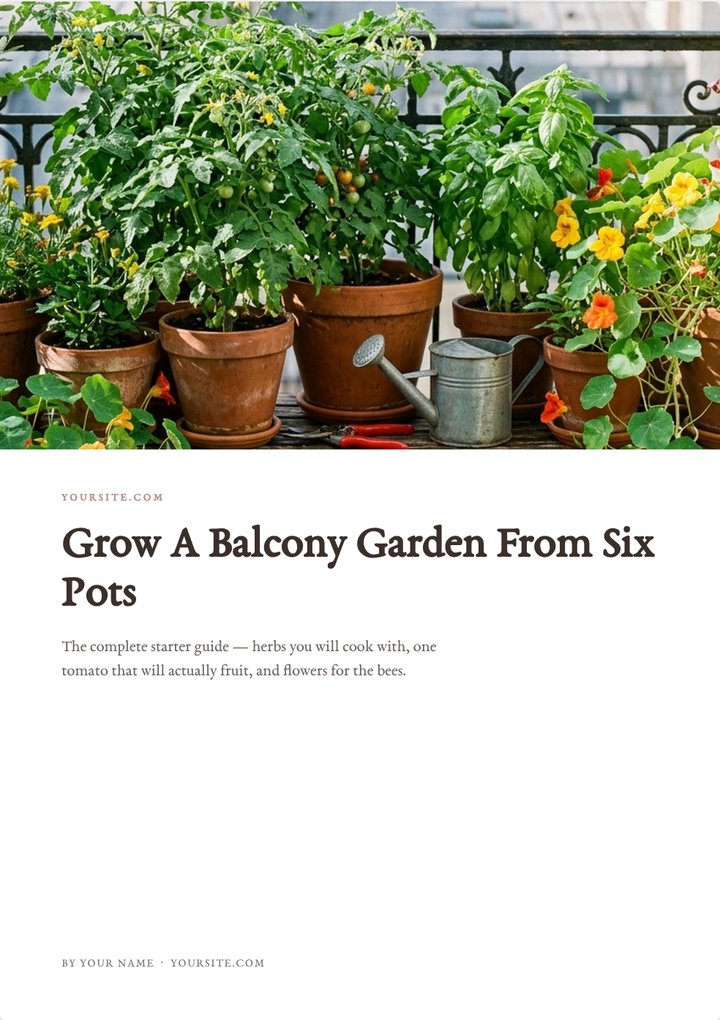
The mini-guide: a cover, your content, and the page that brings them back
All five pages below are one real export. Your photo (or your Band colour) on the cover, your content flowed across as many pages as it needs, and a closing CTA page pointing at your post — because a freebie should send readers somewhere.
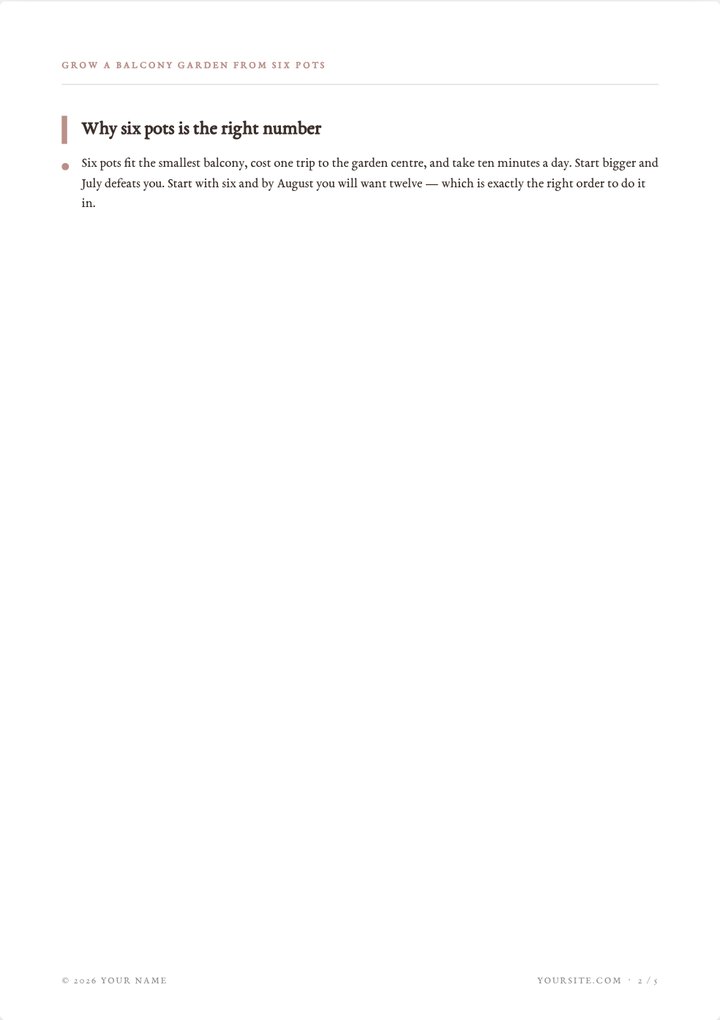
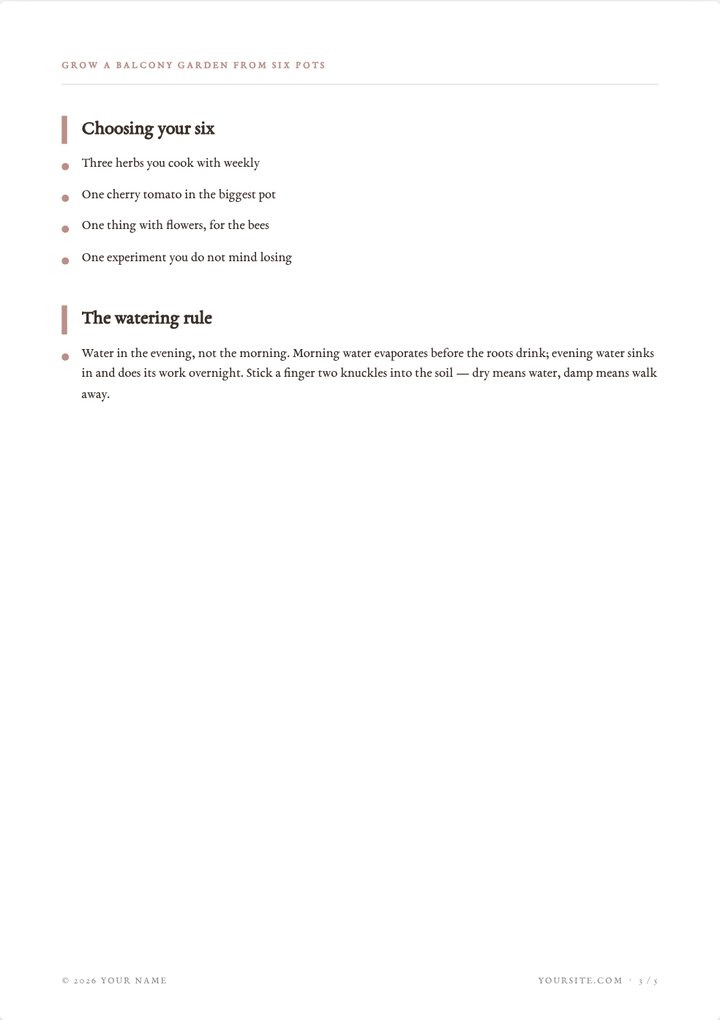
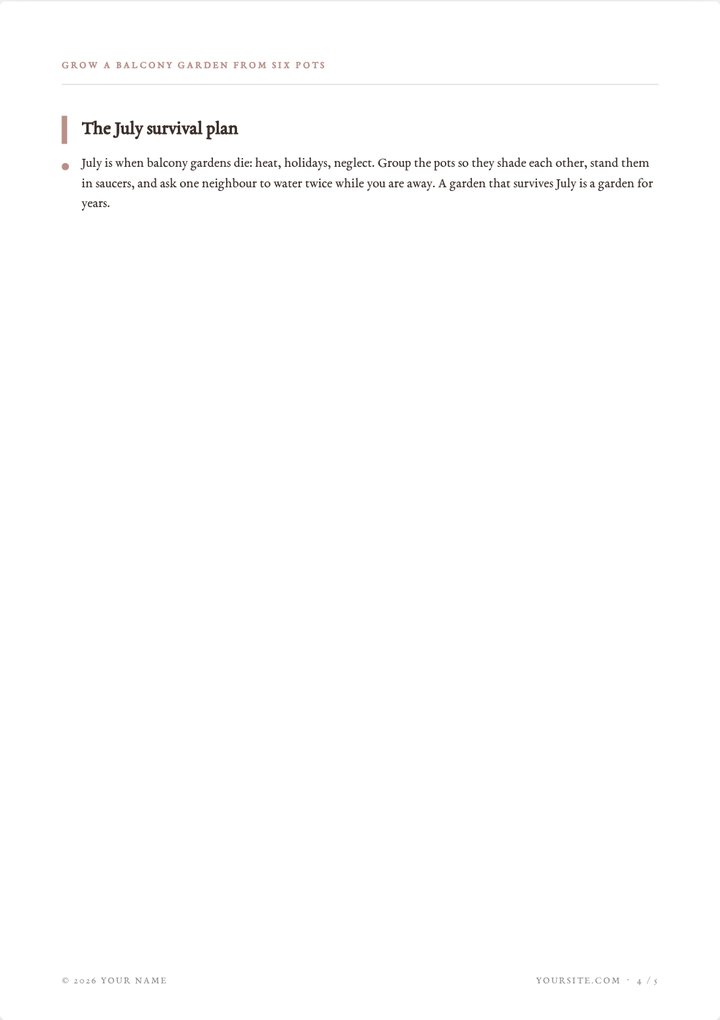

Built to be given away
Real-text PDFs, not flattened pictures
Design tools only export a picture of your text. Here the print route exports a document: every word selectable, searchable and razor-sharp at any zoom, tick-boxes that actually line up, and a five-page guide weighing well under a megabyte — small enough to attach to a welcome email. (The one-click Download button is there too, for quick image-based exports while you draft.)
Pages fill themselves as you type, and an item is never cut in half at a page edge.
Your name on it. Not ours.
No watermark, no “made with” line, no credit expected. The cover says by you, the footer carries your site, and the licence covers client work too — make freebies for your own list or sell the service of making them.
The closing CTA page is part of that: every mini-guide ends by pointing readers at your post, in a button they can see even in print.
The brand kit the whole Lab shares
Four colours, six fonts, a saved palette under every picker, and Pull from a photo when you would rather not think in hex codes. Save the kit once and every She Thrives tool on your computer wears it — pins, videos, carousels, blog graphics and these freebies all matching.
Three typographic styles — Editorial, Clean, Soft — set the mood; an ink-friendly toggle keeps pages white so your readers’ printers stay happy.
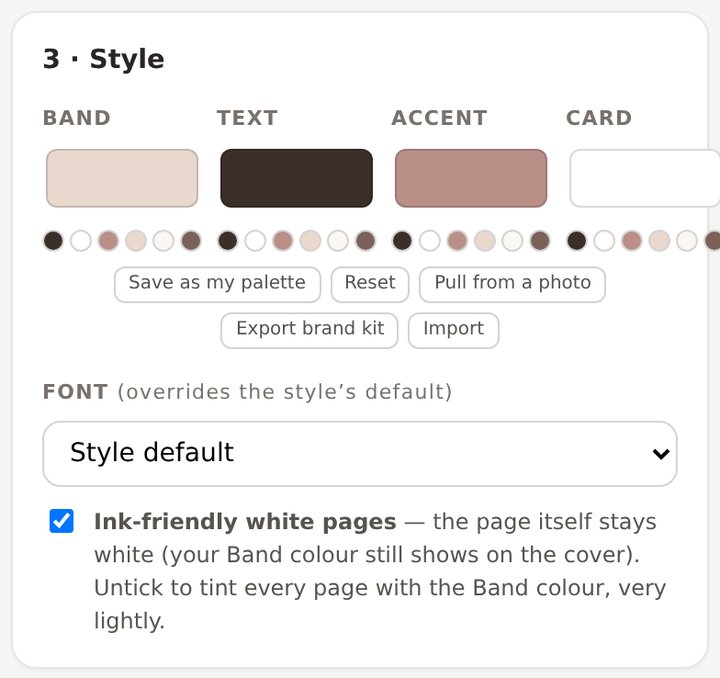
This is the actual interface
Screenshots of the real thing, so nothing surprises you after you pay. Three small panels, a live preview of every page, one button.
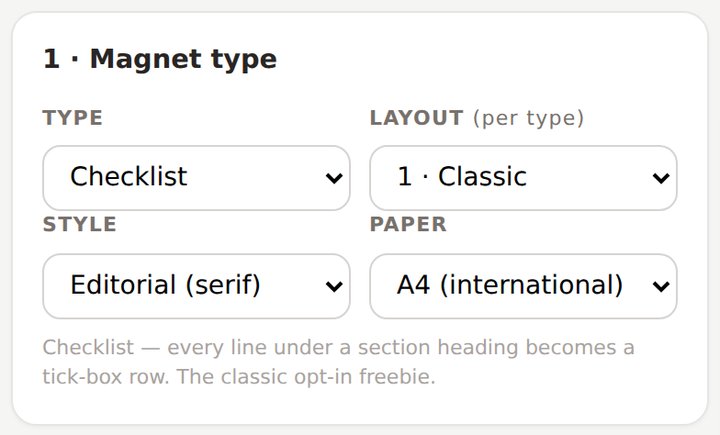
Five types, three styles, A4 or US Letter. Switching rebuilds the pages instantly.
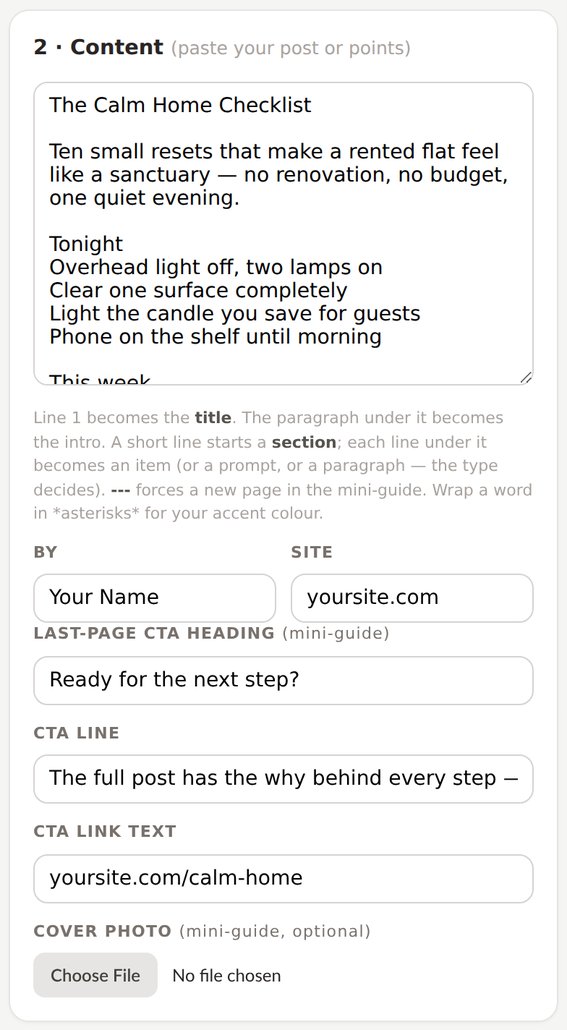
Paste here. The rules are printed under the box — and your name, site and CTA live on every export.
Your colours and font, saveable as a brand kit that works in every She Thrives tool.
Four moves, and none of them is “learn design software”
Paste your content
A post, your notes, or the answer from the included AI prompt that formats any post for you. First line = title.
Pick a type
The same paste becomes a checklist, worksheet, cheat sheet, mini-guide or tracker — one click each to compare.
Make it yours
Your colours from the shared brand kit, your name, your site, a cover photo if it’s a guide.
Download the PDF
One click and it saves. Or use the Print button for the selectable-text version — smallest file, nicest to email.
Four things I would rather you knew now
None of these will surprise you on day one if you read them today.
Download PDF saves instantly, pages as sharp images. Print keeps every word as real, selectable text in the smallest file — the nicest to email. And beside the PDF, every magnet also exports as a Google Doc (no download: one button copies the styled document and opens a blank Doc — you paste, it’s done), as Word (.docx), as Notion (.md — checklists arrive as real tickable checkboxes), and for checklists and trackers, Google Sheets (.csv). All generated on your computer, like everything else here.
There are no signup forms or email automations in here — your email service (MailerLite, Kit, Mailchimp…) does that, and does it well. The guide walks through the twenty-minute wiring, and one of the included AI prompts writes your opt-in copy and delivery email.
Georgia, Helvetica, Trebuchet, Palatino, Verdana, Courier — that is what makes it work offline with nothing to install. Your custom brand font is not in the list; your colours, entirely.
You do not drag boxes around — you paste text and the pages set themselves, which is exactly why it takes minutes. The one photo slot is the mini-guide cover. If you want freely-arranged photo pages, that is a design tool’s job.
Who this is for
- Get it if…
- Growing your email list is this year’s goal and the freebie is what keeps not happening
- You want one good lead magnet per pillar post, not one generic PDF for the whole site
- You make client content and freebies are billable work
- You would rather own a tool once than rent a design suite monthly
- You are comfortable double-clicking an HTML file
- Skip it if…
- You want drag-anywhere design freedom — this trades that for speed
- You need your custom brand font embedded
- You want the signup forms and email sending too — that is your email service’s job
- You want someone to write the freebie for you. The AI prompts help, but this is a tool, not a service
- You do not have an email list and do not want one — then a freebie has no job to do
This is where buyer comments will go once there are real ones. Nothing invented sits here in the meantime — if you are reading this, you are early.
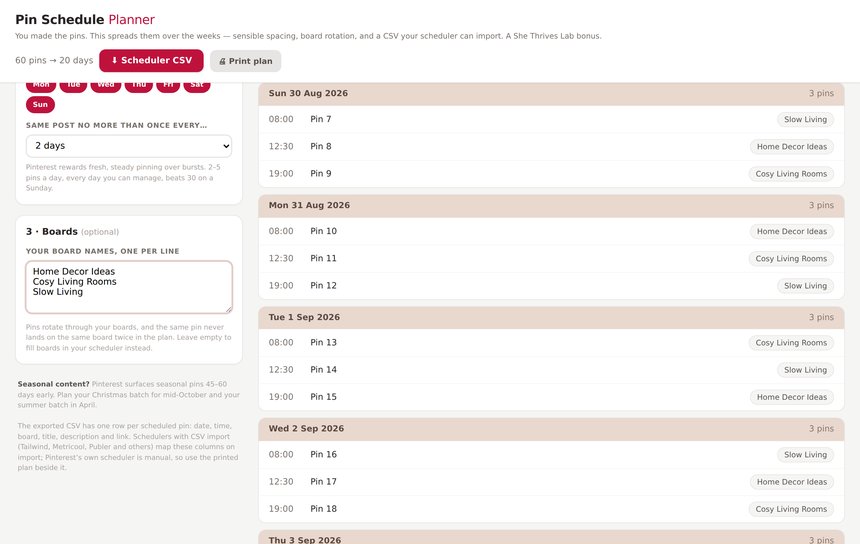
The Pin Schedule Planner comes with it
Give it a list of pins — or just a number — and it builds a dated pinning calendar with sensible spacing, board rotation, and a CSV that imports straight into Tailwind, Metricool or Publer. It pairs with She Thrives Traffic, but it is yours regardless, free, in the download folder.
Buy it once. It is yours.
No subscription, no account, nothing to cancel. It runs on your computer, so it keeps working whatever happens to me.
- All 5 magnet types — checklist, worksheet, cheat sheet, mini-guide, tracker
- 16 layouts across the five types — banners, framed posters, full-bleed covers, ledgers, week cards
- Three typographic styles + six fonts
- A4 and US Letter
- Real-text PDFs — selectable, sharp, tiny files
- Exports for Google Docs, Notion & Sheets too
- Mini-guide cover photo + closing CTA page
- Your name and site on everything — automatic © footer and page numbers, no watermark, ever
- Shared She Thrives brand kit — your colours everywhere
- Ink-friendly printing mode
- Runs offline, on your own computer — nothing is uploaded
- Plain English guide, 5 paste-ready starters and 6 AI prompts included
- Pin Schedule Planner included free — turns your pin list into a dated pinning calendar
- Free fixes, forever
If you are also getting She Thrives Traffic in Motion, the video pin tool, do not buy this here. Add Lead Magnets as a tick-box at that checkout and it is $39 instead of $59. Same file, same licence, $20 less. See Traffic in Motion →
Three promises, in plain words
A file on your computer. No login, no licence server, no monthly fee. If this business disappeared tomorrow, the tool on your desktop would carry on working.
Your content is never uploaded. Every page is built inside your own browser, which is also why it works on a train with no signal.
Email support@shethriveslab.com — or reply to your purchase email — and say what you clicked, what you expected and what happened instead. If it is a bug I fix it and send you the new file, free, however long after you bought it.
The ones worth answering
Do I need design skills, Canva or Photoshop?
No. You paste text and pick a type — spacing, page-fitting and readable typography are already decided, and the colours follow your brand kit. If you can write a list, you can make a professional freebie.
Can it really make the PDF without any software?
Yes, two ways. The Download button builds the PDF right in the browser and saves it instantly. The Print button uses the PDF engine already inside your browser (“Save as PDF” in the dialog) — that route keeps the text selectable and the file smallest. Nothing to install either way.
Will my freebie say “made with She Thrives” anywhere?
No. No watermark, no credit line, nothing. Your name and your site are the only names on it. That is deliberate — it is your lead magnet.
Does it collect the email addresses too?
No — and honestly, you would not want it to. Signup forms, delivery emails and subscriber lists are your email service’s job (MailerLite, Kit, Mailchimp and the rest all do it free at small list sizes). This tool makes the thing worth signing up for; the guide shows the twenty-minute wiring.
How is this different from a Canva template?
A template is one design you fill in by hand, alignment by alignment, and it exports a flattened image-PDF. This is a machine: paste different content and it re-sets the pages itself, in any of five structures, with page breaks handled and text kept real. Ten freebies cost the same effort as one.
I write in a language other than English — will it work?
Yes. Your pasted text is simply what gets set; there is nothing English-specific in the layouts. The six fonts cover Latin scripts well; very long words in narrow columns may wrap oddly, which the preview will show you before you save.
Mac? Windows? Phone?
Mac, Windows, Linux — any modern browser. It runs on a phone, but pasting long content and saving PDFs is far more comfortable on a computer.
What about updates and refunds?
Updates are free forever — your download link always serves the newest file. Refunds: none, because it is an instant download; that is exactly why this page shows real output, the real interface, and the four things the tool deliberately does not do. Duplicate charges are refunded immediately, and genuine bugs get fixed free.
Your best post deserves a reason to ask for an email
Five freebie types, your brand, your name on the cover, minutes per magnet. Buy it once and it is yours.