Gardening & Plants Blog Box
Let your growing notes become your next article.
Record what you planted, where it grew and what you observed. Build practical plant articles with climate, species and local conditions kept visible.
Get the Gardening & Plants Blog Box — $29$29 USD launch price · $39 regular
One-time purchase · this niche only · instant digital download
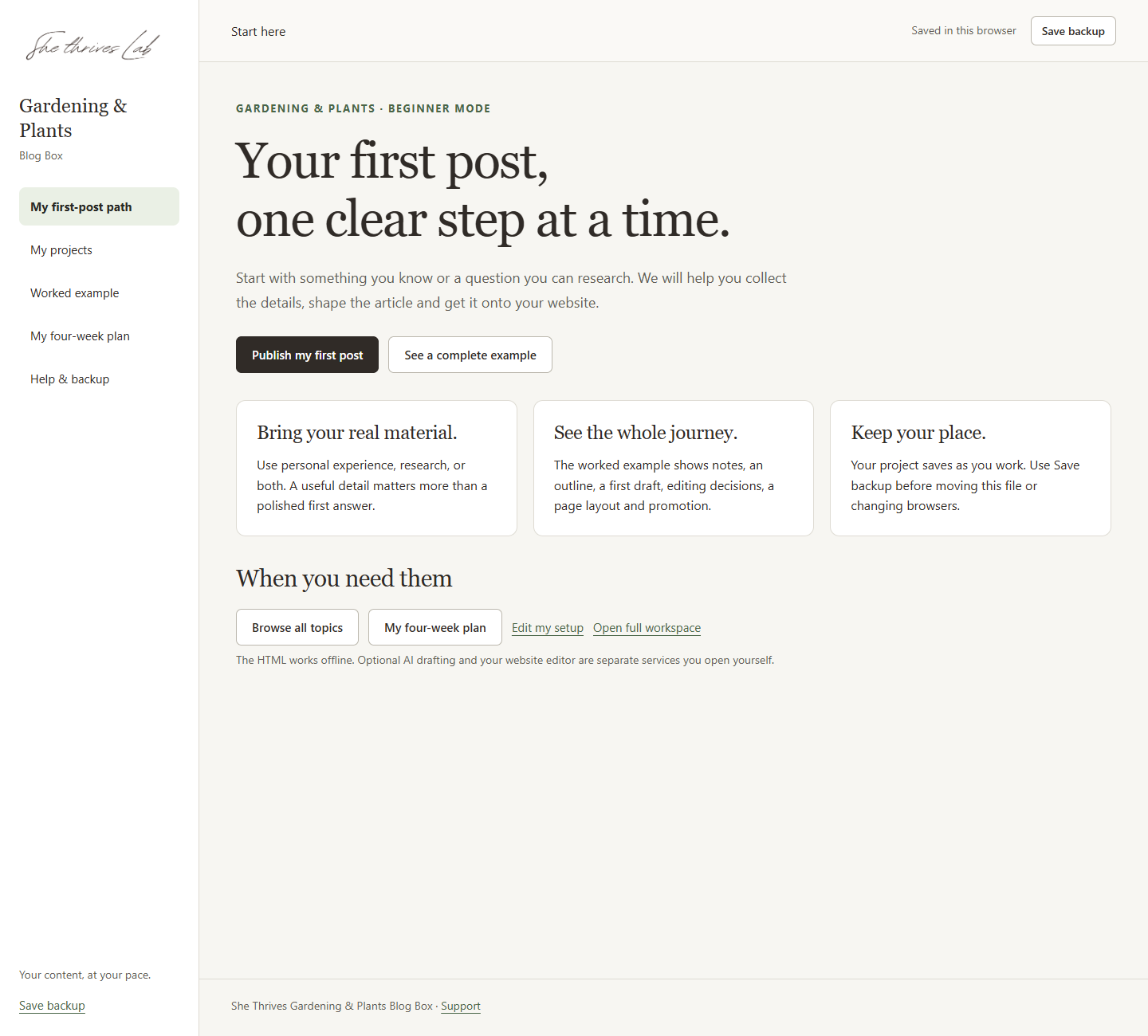
Start with what you know
You don’t have to begin with a blank page.
A short setup helps you choose a reader, a starting topic and a route that fits your material. Then answer one clear question at a time.
Use your own experience, clearly identified research, or both. Helpful examples show the kind of detail to add. Source notes and a review step keep you involved in what you publish.
A plant-care log, a container experiment, or a growing guide supported by local information.
A path through your first post
Notes. Outline. Draft.
Something you can share.
- Collect your real notes and review your sources.
- Shape an outline, then write yourself or copy your prepared brief into an AI assistant you choose.
- Edit the draft, create matching images and follow the publishing guide for your editor.
The Box prepares your material and briefs. An external AI assistant is optional and supplied separately. Nothing is sent or published automatically.
More than ideas to scroll through
A small workspace for the whole article.
Keep the next useful action close, from choosing a topic to preparing your post and promotion.
Guidance as you go.
Beginner setup, one-question screens, an editable outline and a complete fictional worked example show how rough notes can become an edited article.
Your words, made visual.
Create a 1200 × 720 featured image and two 1000 × 1500 Pin images using your own wording, a palette and an optional photo. Add separate alternative text.
A plan you can return to.
Use the flexible four-week plan, next-action guidance and saved projects. Download a backup file to keep your work portable.
Inside this Gardening & Plants Box
The builder and its matching content library.
- 100 topic starting points with supporting article-planning ideas.
- 500 matching Pin headline variants to adapt.
- 20 social script scaffolds for your own content.
- 4 editable resource texts, including a checklist, worksheet, cheat sheet and optional 30-day tracker.
- Three colour palettes, image tools and manual publishing guidance.
- The guided HTML builder, worked example, editable plan and backup tools.
These are planning resources and editable starting material. They are not 500 finished articles or verified keyword-volume results.
Simple to open
Download. Extract.
Open the guide.
- Download the ZIP supplied with your order.
- Extract it, then open
START HERE - guide.htmlin Chrome or Edge on your computer. - Follow the beginner setup and save a backup after your first project.
The HTML and included resources work offline. No plugin, account or API key is required by the file.
Online research, an optional AI assistant and your own blog use services you choose separately. The Box does not include hosting, stock photos, automatic publishing or an AI subscription.
A few things to know before you start.
Is this suitable for a complete beginner?
Yes. Start with the short setup, choose one suggested topic or your own, then answer the guided questions. Examples, help and a fictional complete walkthrough explain each stage. You still choose what to write, check facts and review the final result.
Will this create my blog website?
The Box helps you prepare content. You publish it through your own website. It includes manual guidance for WordPress, Hostinger Website Builder and other editors; it does not create accounts, install a website or publish for you.
Do I need paid AI software or other She Thrives tools?
No other She Thrives product is needed. You can write directly in the workspace. If you choose AI drafting, copy the prepared brief into an assistant you have access to. That service’s terms, availability and charges are separate.
Are photographs included?
No stock-photo bundle is included. You can use the text and palette image designs, or add your own photographs with permission. The worked example is labelled as fictional teaching material.
Can I use the material commercially?
Yes. Adapt the words and colours for your own blog, social channels and client work. You may publish what you make. You may not resell or share the HTML builder or source resource files themselves. The included licence explains the terms.
Does my work save automatically?
The workspace can recover work in the same browser. Download regular backup files and use the restore option when moving to another computer or browser. A browser’s stored data can be cleared, so keep your own backup.
What if I need help or a refund?
Email support@shethriveslab.com with your order number, browser and what happened. Review our refund policy before purchasing. Instant digital downloads are generally final; statutory rights remain.
Gardening & Plants Blog Box
Your first useful article
can start with what you already know.
Choose one topic. Bring your notes. Follow the guided path.
Get this Blog Box — $29$29 USD launch price · $39 regular
One-time purchase · this niche only · instant digital download
Each niche is sold separately. Choose the subject you want to write about.