She Thrives Page Engine
Your words.
Your pictures.
A page of your own.
Make a photo gallery, landing page, product collection or static blog in your browser. Choose a layout, make it yours, and download the finished HTML.
Get Page Engine — $39$39 USD launch price · one-time purchase
The creator runs on your computer. Publish with your own host and connect your own form or checkout provider.
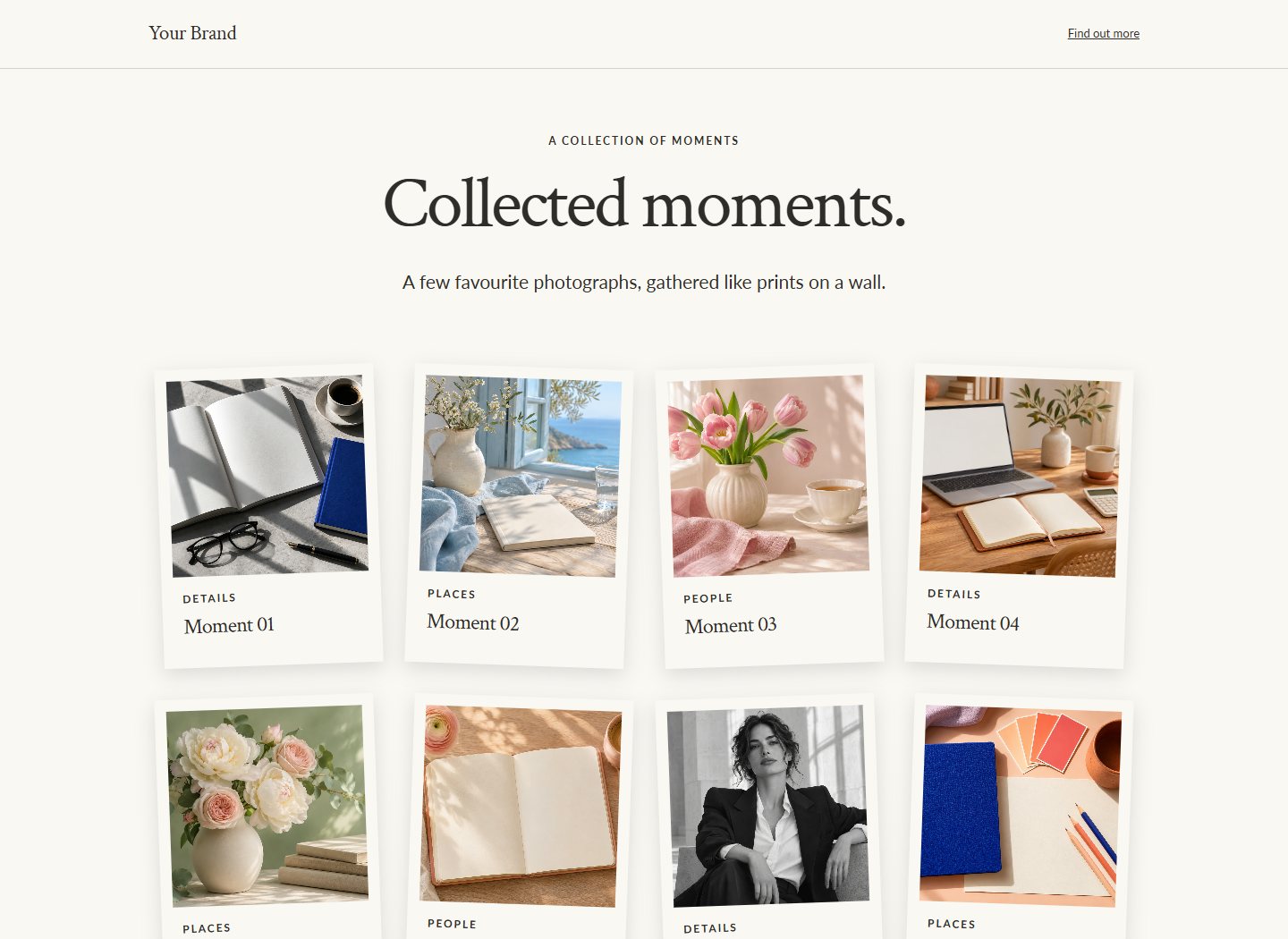
For the page you need today
A collection of photographs.
An offer worth explaining.
A place to start.
95 landing and visual pages, 41 shops and collections, and 20 blog layouts. Browse one library, preview the actual design, then replace the example content with your own.
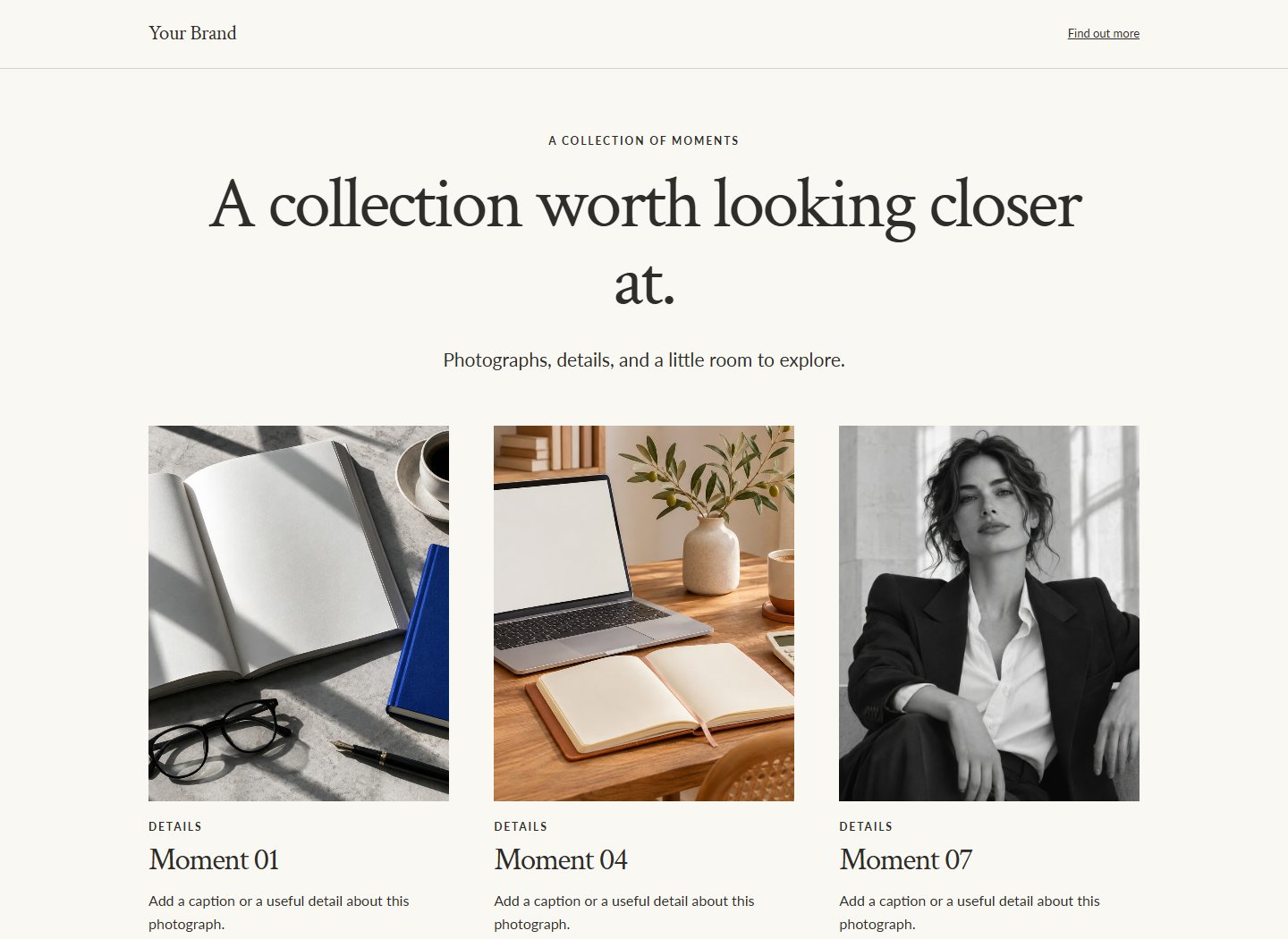
Give photographs room.
Add captions, alternative text, collection filters and links. Let visitors open pictures in a larger viewer or move through a carousel with arrows, swiping and keyboard controls.
Build around your content.
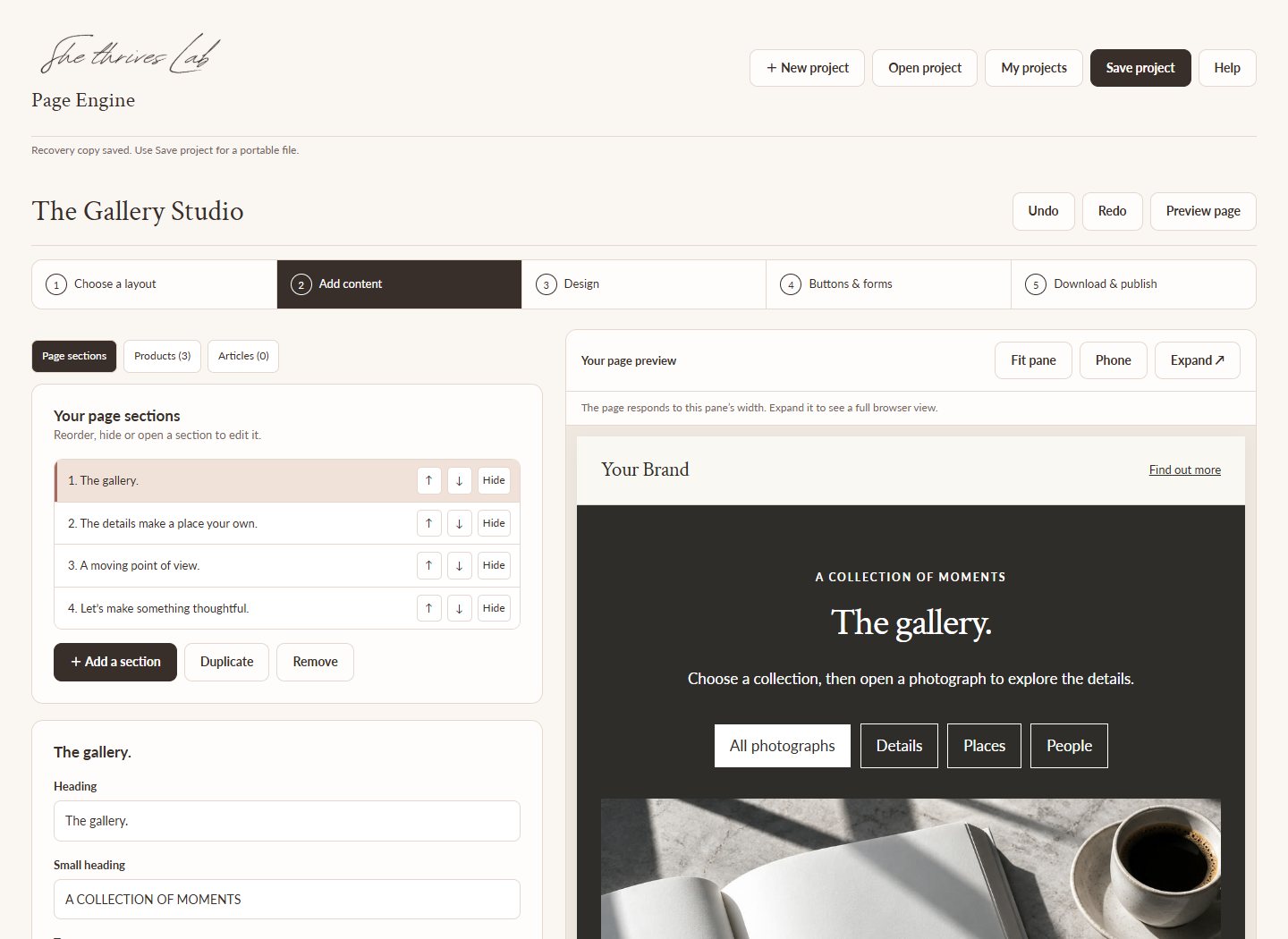
Add, reorder, duplicate or hide sections. Include a story, services, frequently asked questions, a product display, a call to action or a connected sign-up form.
The 50 gallery/carousel choices are part of the 240-section library.
Make each section yours
Choose its colours.
Set its background in motion.
Give each section its own background and text colours. Use an image or a muted video background, then choose Normal, Fixed or Parallax scrolling so the following section moves over it.
Details you can change.
- Your logo, font pairing, palette and button shape.
- Section backgrounds, text colours and overlays.
- Pictures, captions, product links and article content.
- Decorative stickers, with placement and movement controls.
Reduced-motion visitors get normal background scrolling. Video playback and embedded effects depend on the visitor’s browser and your host’s permissions.
Keep an editable master.
Save project downloads a JSON file with your page content and settings. Open it later to make changes and export again. Browser recovery also helps on the same computer.
Choose from five included font pairings, ten included photographs and two silent video clips, or bring your own media.
A simple publishing route
Upload the media first.
Download a lighter page.
The creator comes as a ZIP folder. Your finished lightweight page can be one HTML file that loads pictures and videos from their uploaded links.
Choose & edit.
Extract the whole creator folder, open the HTML tool, choose a layout and add your real words and media.
Add media links.
Upload images and videos to WordPress Media Library or your media host. Paste each file URL into Page Engine. Missing links are flagged before export.
Download & publish.
Download HTML for a host that serves HTML files. For WordPress, copy the WordPress HTML into a Custom HTML block, then test the saved page.
What your purchase includes
The creator.
The designs.
The guide.
- Page Engine creator folder, with all 156 layouts and 240 sections.
- Illustrated opening, editing and publishing guide.
- Example projects, a sample brand kit and product CSV templates.
- Included photos, font files and silent video clips.
- Commercial use for your own business and client pages.
- Updates included for as long as the tool exists.
Before you buy
Know what you’ll connect.
- Hosting and a domain come from your chosen provider.
- Forms need a receiving service; payments need your checkout links.
- A blog export is static HTML, with separate article files. It does not create WordPress posts.
- Lightweight pages need their media links online.
- Extract and keep the complete creator folder; copying only its main HTML will not open the creator.
The licence covers your own and client outputs. You may not redistribute or resell the creator itself.
A few questions before you start.
Will it work with WordPress or Hostinger?
You can upload standalone HTML to hosting that serves HTML files. With WordPress, use the lightweight WordPress export in a Custom HTML block; your account must permit its styles and scripts. Hostinger web hosting and its website builder are different publishing routes. Check the builder’s current custom-code support before buying if you need to paste directly into it.
Do I need to install a plugin?
The primary HTML route does not require a Page Engine plugin. Upload your media, add the links, and export. Optional publishing packages are available inside the tool for people who prefer them.
Does it work offline?
The creator, included assets, project saving and embedded-media exports work offline after extraction. Public hosting, online fonts, linked media, forms and checkout use the internet.
Can I use it for clients?
Yes. Create unlimited pages for your own business and clients. Your exported pages have no Page Engine watermark. A client who wants their own copy of the creator needs their own licence.
Can I change a page after publishing it?
Save the editable project file. Open it in Page Engine, make your changes and export again. Replace the published HTML with that new export.
What if I need help or a refund?
Email support@shethriveslab.com with the release number, browser and what happened. Instant-download sales are generally final under our refund policy, which covers duplicate charges, unauthorised payments and a fault we cannot fix. Your statutory rights remain.
She Thrives Page Engine
Give your next page
a place to begin.
156 layouts. 240 sections. Your own content, brand and publishing choices.
Get Page Engine — $39$39 USD launch price · one-time purchase
Extract the ZIP to use the creator. Hosting, email services and checkout fees are separate.